


Applicable Scope
This guide applies to Gate Web
Before you start: Ensure you have a verified Gate account with sufficient funds in your spot account
Estimated time: 5 m
Objective
This guide will walk you through how to conduct isolated margin trading on Gate Web.
Steps
Step 1: Navigate to the Margin Trading Page
- Log into your Gate account.
- Click "Trade" in the top navigation menu.
- Select "Margin" from the dropdown options.
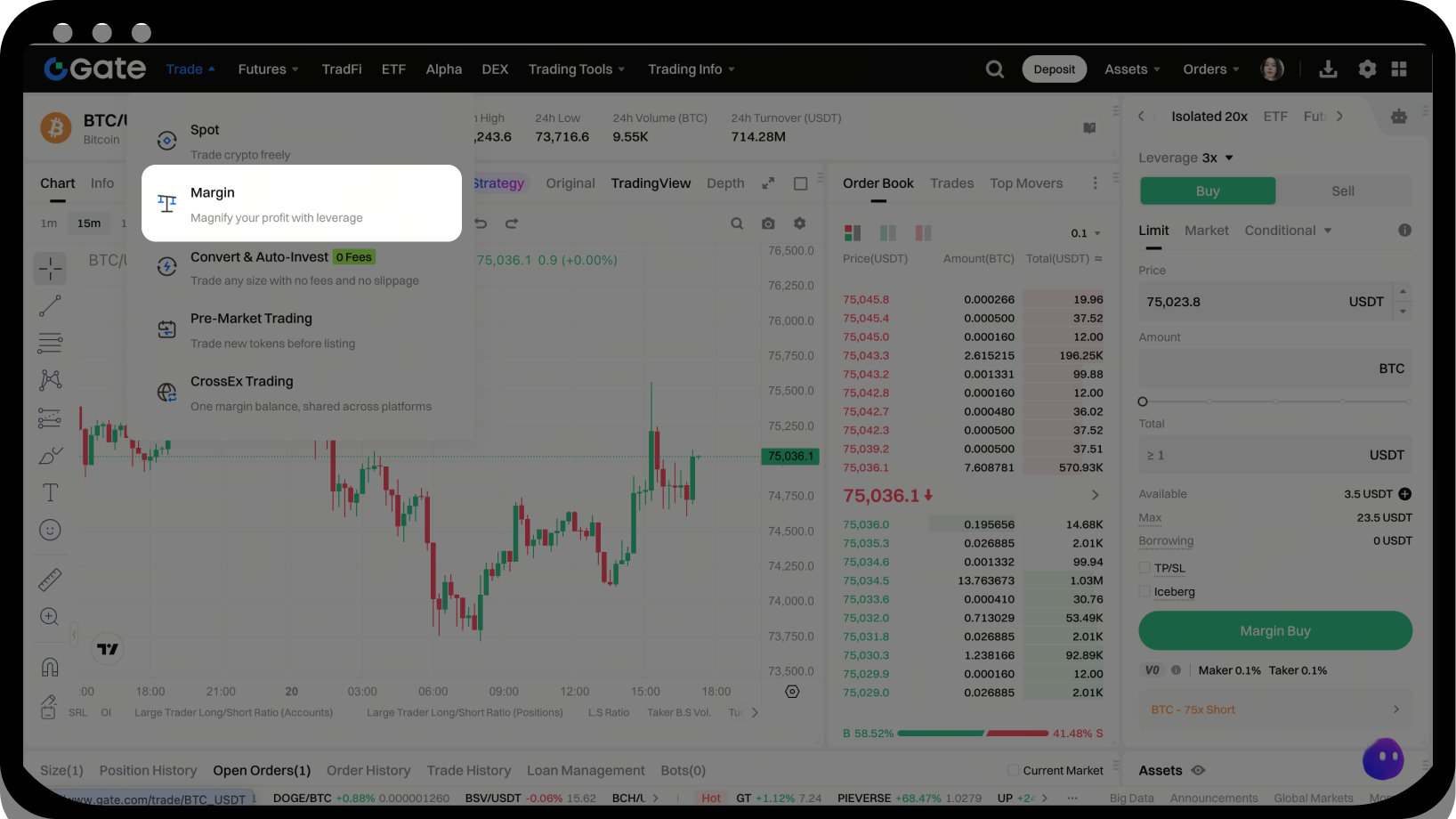
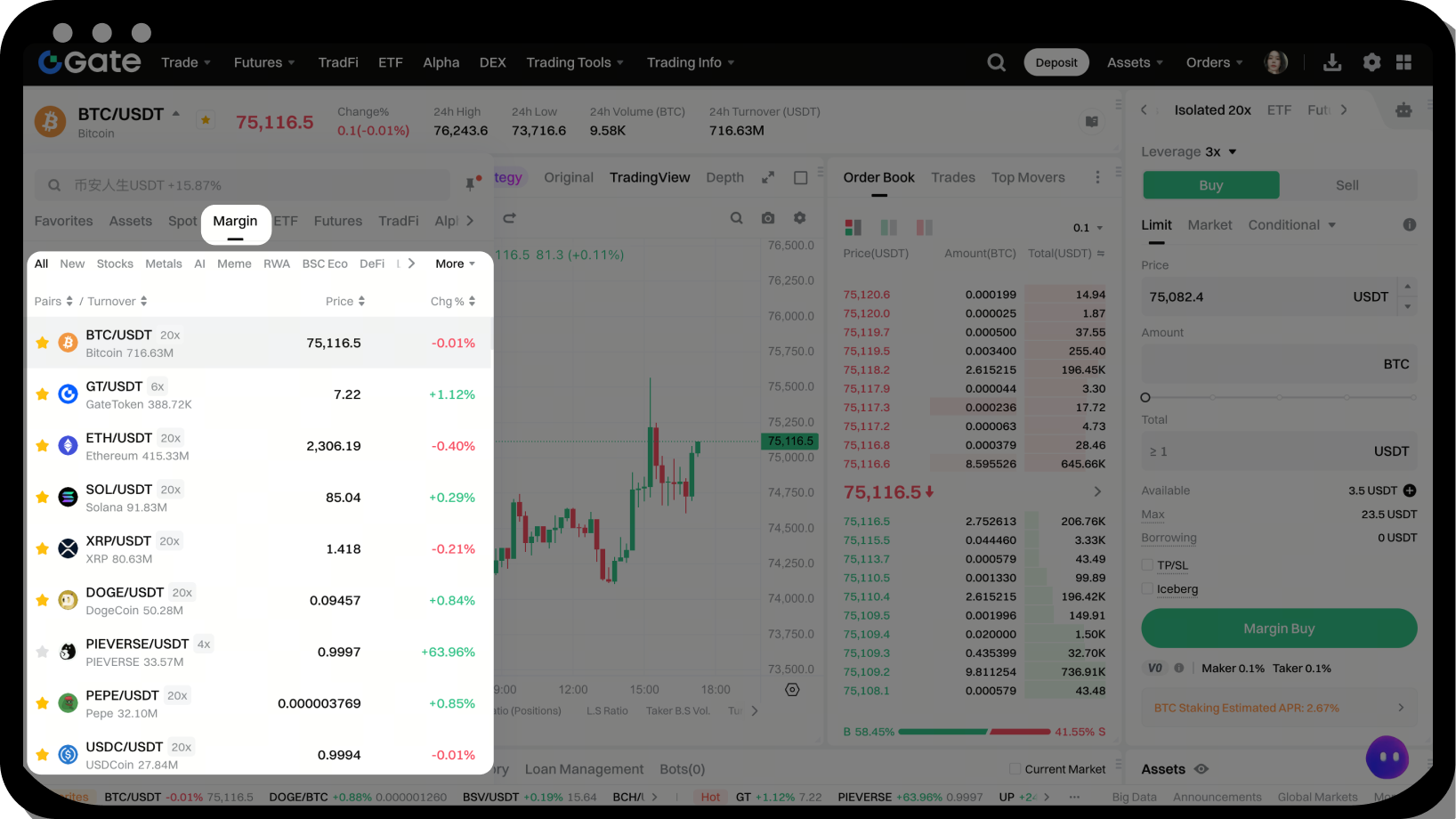
Step 2: Select Your Trading Pair
In the Market section on the left side of the page, select your desired trading pair (this example uses GT/USDT).
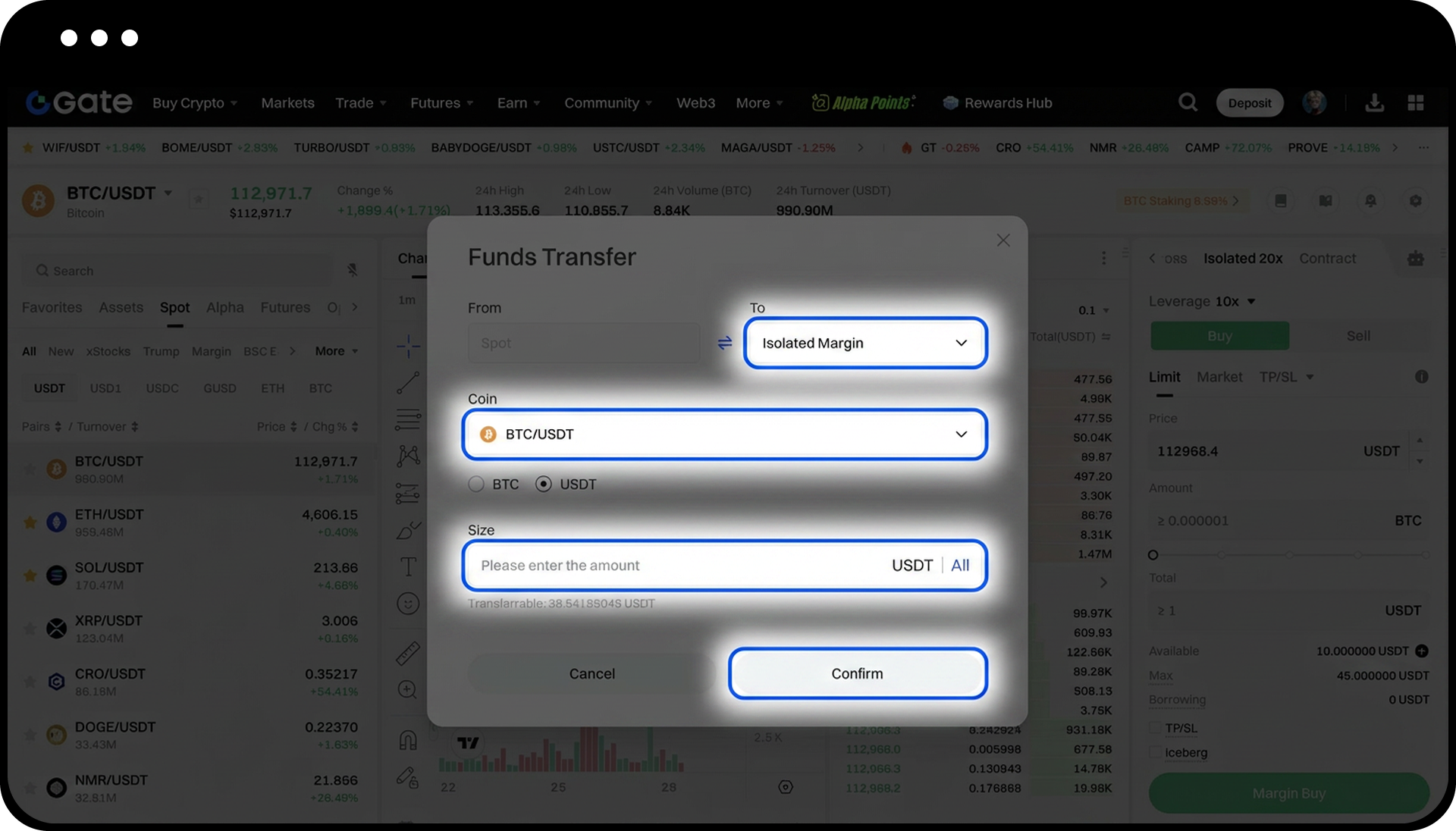
Step 3: Transfer Funds to Your Isolated Margin Account
- Click the "Transfer" button.
- Configure your transfer with the following settings:
- Choose the transfer direction (from spot account to isolated margin account)
- Select the trading pair
- Choose the coin you want to transfer
- Enter the transfer amount
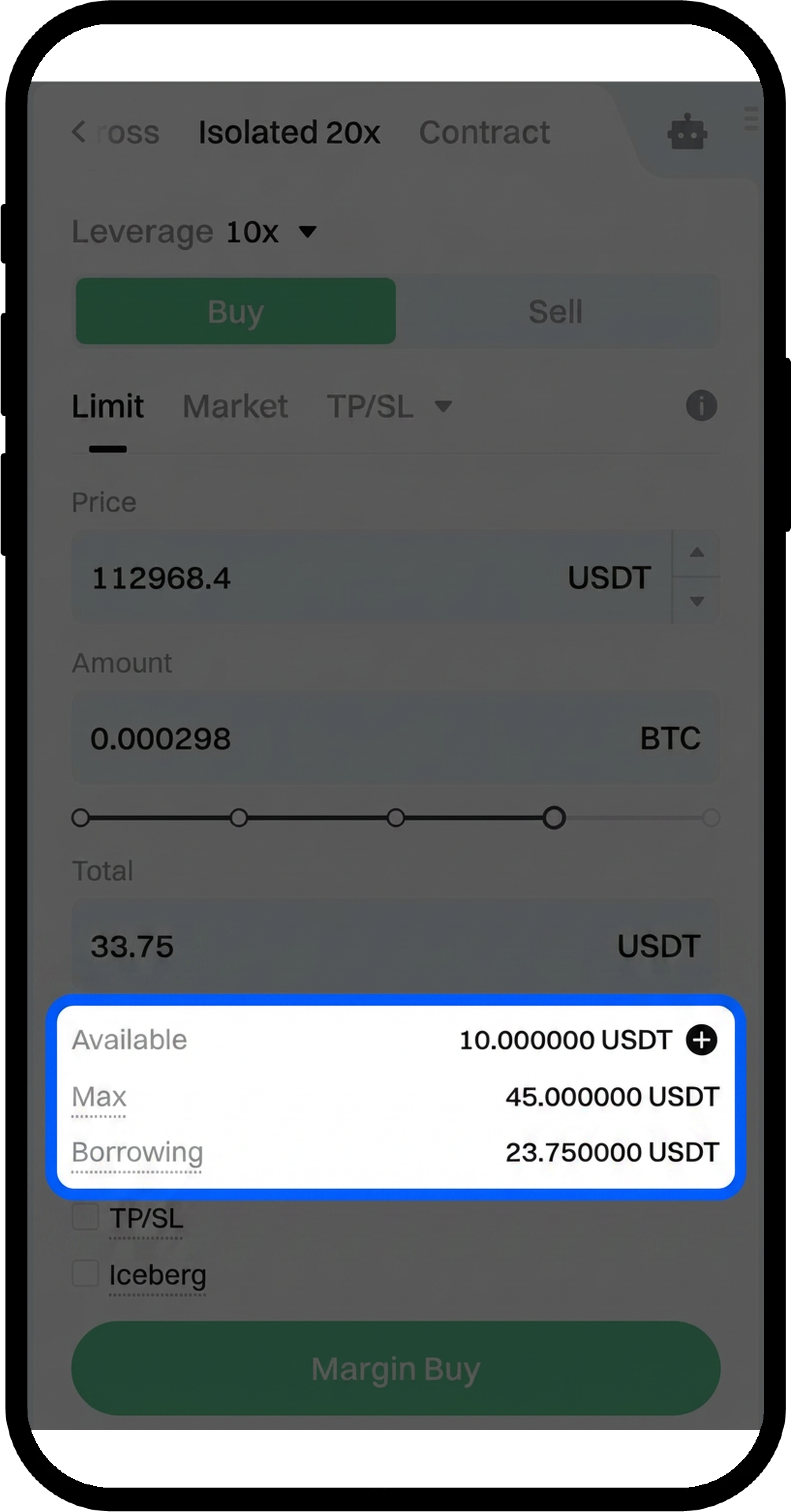
Step 4: Place an Order with Auto-Borrow
- When placing an order, check the "Borrow" option.
- The system will automatically borrow the required funds:
- For buy orders: the system auto-borrows USDT (quote currency)
- For sell orders: the system auto-borrows GT (base currency)
- Review the borrowing amount displayed after setting up your order.
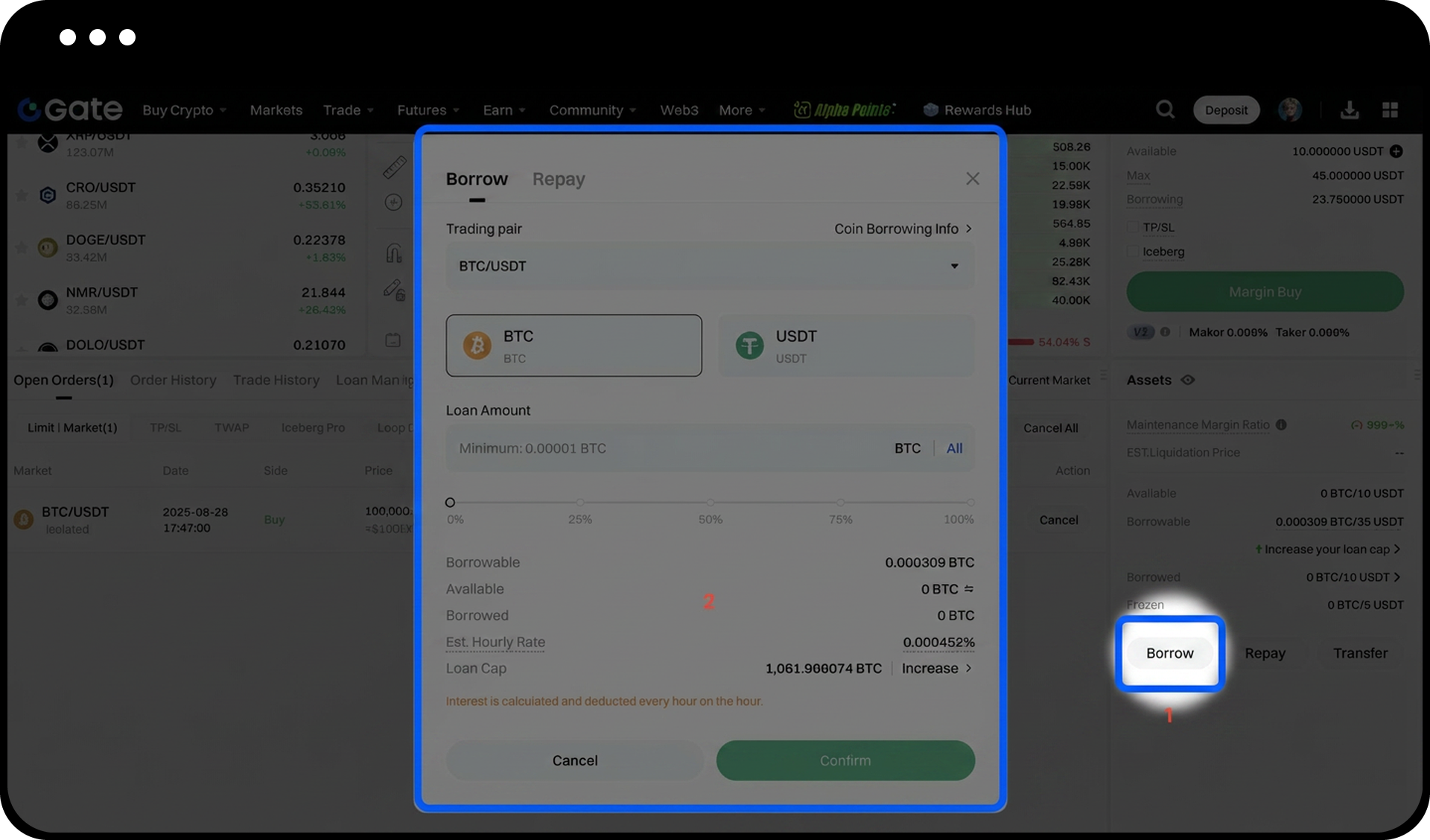
Step 5: Manually Borrow Funds (Optional)
- Navigate to the assets section.
- Click "Manual" to borrow GT or USDT manually.
- View your borrowing details in the assets section.
Step 6: Execute Your Trade
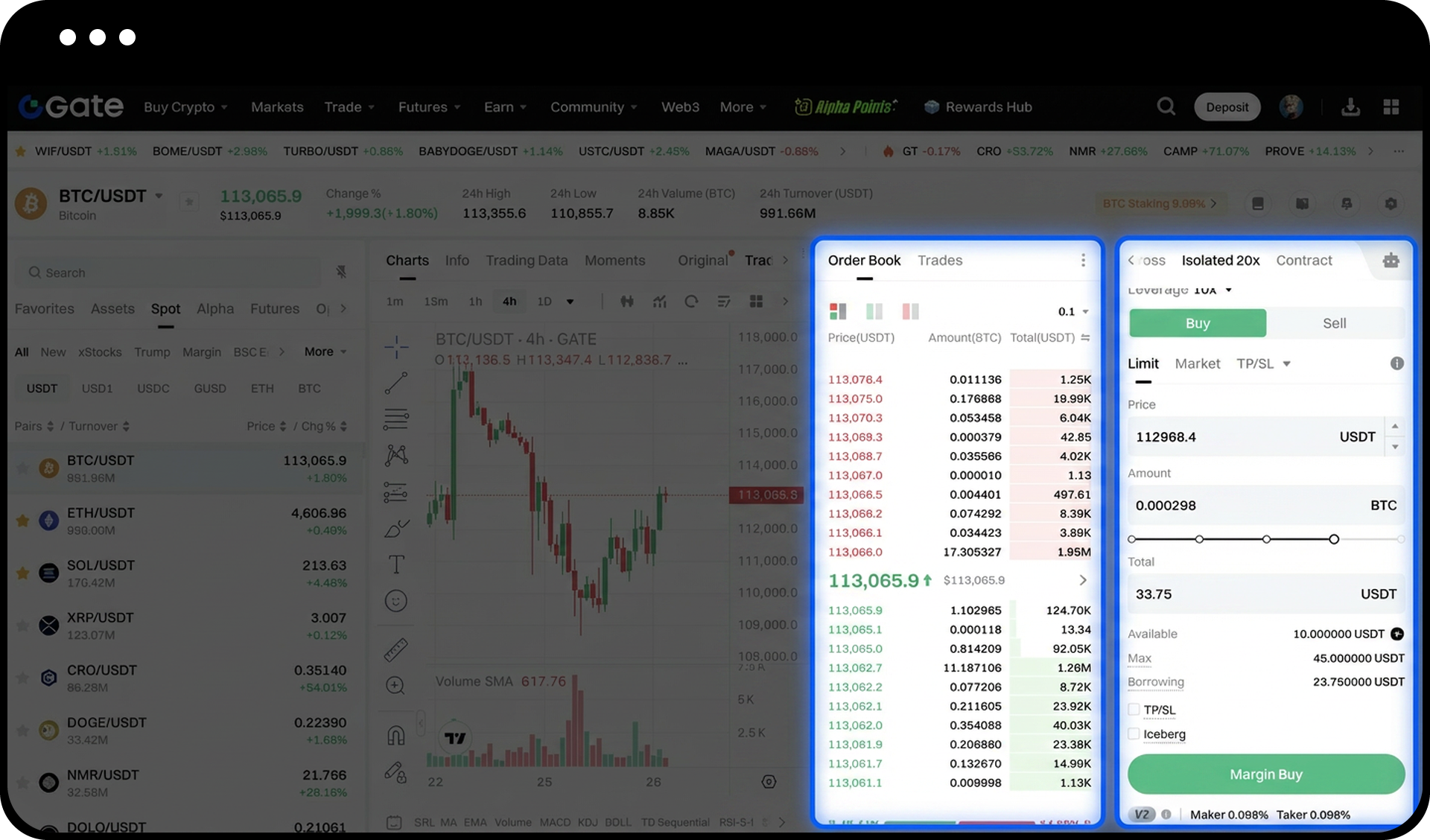
- Click "Buy" to open a long position or "Sell" to open a short position.
- Set your preferred parameters:
- Buy/sell price
- Amount
- Total
- Alternatively, click on orders in the order book for quick price selection, then click buy/sell.
Step 7: Confirm Your Order
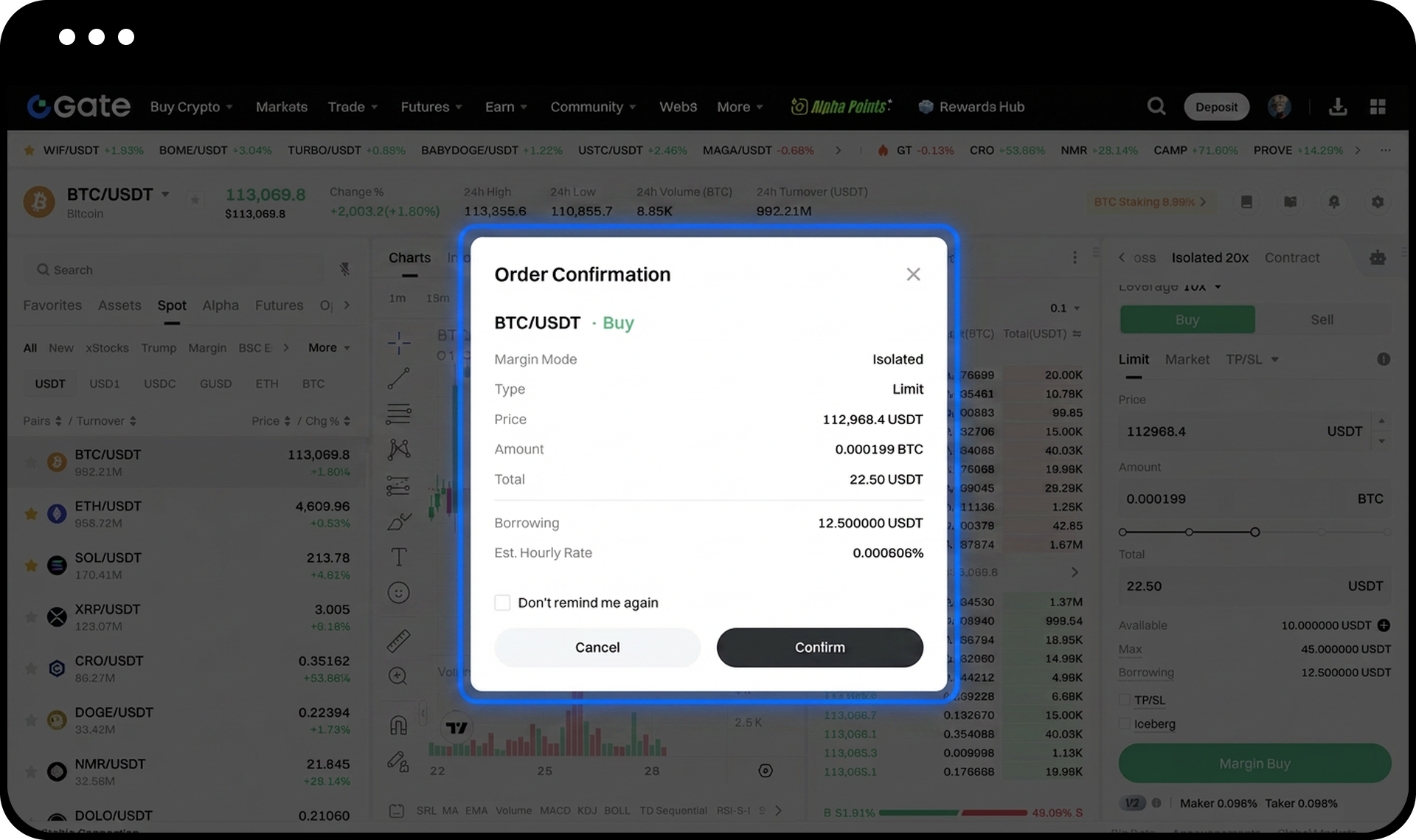
- Review the order details:
- Amount
- Price
- Borrow amount
- Daily borrowing rate
- Click "Confirm" to submit your order.
- Optional: Check "Do not remind me later" to skip this confirmation window for future orders (you can re-enable it in Setup/Spot settings).
Step 8: Monitor and Manage Your Orders
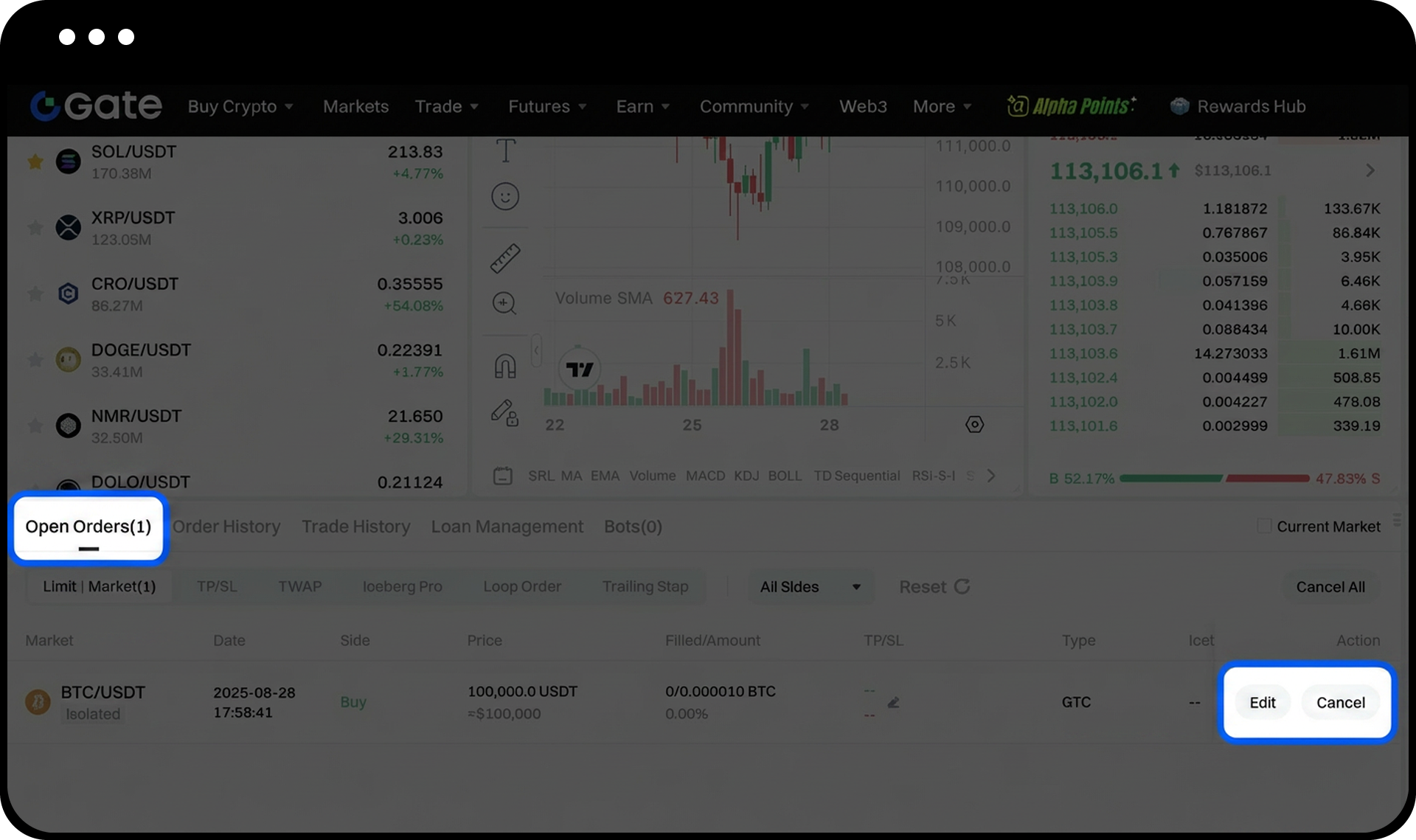
- View your active orders in the "Open Orders" section.
- Click "Cancel" to cancel any open order if needed.
Notes
- Long positions profit when prices rise; short positions profit when prices fall.
- Leverage amplifies both profits and losses. Price movements in the opposite direction of your position will result in magnified losses.
- Borrowed funds accrue daily interest based on the borrowing rate displayed at the time of borrowing.
- Isolated margin trading carries significant risk. Always implement proper risk management strategies and only trade with funds you can afford to lose.
- Gate reserves the right to adjust margin trading parameters, including leverage ratios and borrowing rates, at any time.
FAQ
Q1: What is the difference between isolated margin and cross margin trading?
A: In isolated margin trading, the margin is isolated to a specific trading pair. If your position is liquidated, only the funds allocated to that particular pair are affected. In cross margin trading, all assets in your margin account serve as collateral, sharing the risk across all positions.
Q2: How is the borrowing interest calculated?
A: Interest is calculated on an hourly basis and charged daily. The interest rate varies depending on market conditions and the specific asset being borrowed. You can view the current borrowing rate before confirming your order.
Q3: Can I repay my borrowed funds manually?
A: Yes, you can manually repay borrowed funds at any time through the assets section. Navigate to your isolated margin account, select the asset, and choose the repayment option.
Q4: What happens if my margin level falls below the liquidation threshold?
A: If your margin level drops below the maintenance margin requirement, your position may be subject to forced liquidation to repay the borrowed funds and accrued interest. Monitor your margin level regularly to avoid liquidation.
Disclaimer
The content provided herein is for reference and educational purposes only and does not constitute any financial, investment, trading, or legal advice, nor does it constitute an offer or solicitation to buy or sell any digital assets. Gate makes no express or implied representations or warranties regarding the accuracy, completeness, or timeliness of the information contained herein. Product features, interfaces, rules, and fee structures may be updated or adjusted at any time. Please refer to the latest announcements and the actual information displayed on the Gate platform for the most accurate details.
Digital asset investments involve significant risk, and prices may fluctuate substantially. You may lose the entire amount of your investment. Please make decisions cautiously based on your own financial situation and risk tolerance after fully understanding the associated risks. If necessary, you are advised to consult an independent professional financial or legal advisor.
For more information about potential risks, please refer to Gate's Risk Disclosure and User Agreement.
