


Applicable Scope
This guide applies to Gate App
Before you start: Ensure you have completed identity verification and enabled necessary security verification methods
Estimated time: 5 m
Objective
This guide will walk you through how to withdraw assets using Gate Code and deposit assets by redeeming Gate Code on Gate App.
Steps
Step 1: Generate a Gate Code for Withdrawal
- Open the Gate mobile app and log in to your account.
- Tap the profile icon in the lower left corner.
- Select "More Services" and scroll down to find "Others."
- Choose "Gate Code Withdrawal."
Step 2: Select Cryptocurrency and Enter Withdrawal Amount
- Search for and select the cryptocurrency you want to withdraw.
- Tap the coin to enter the withdrawal page.
- Enter the withdrawal amount and tap "Next."
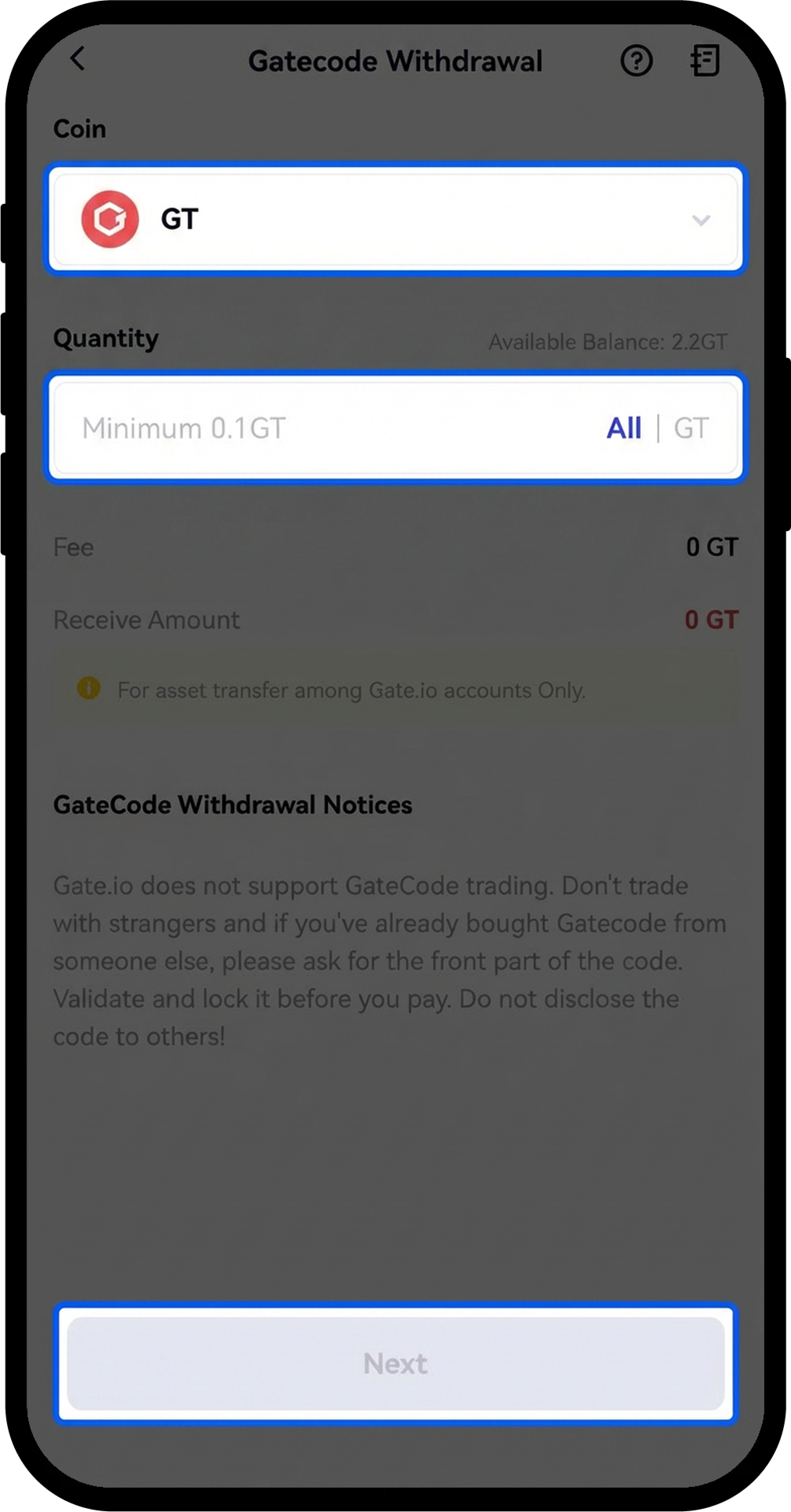
Step 3: Confirm and Complete Withdrawal Verification
- Review the withdrawal information carefully.
- Tap "Confirm" after verifying all details are correct.
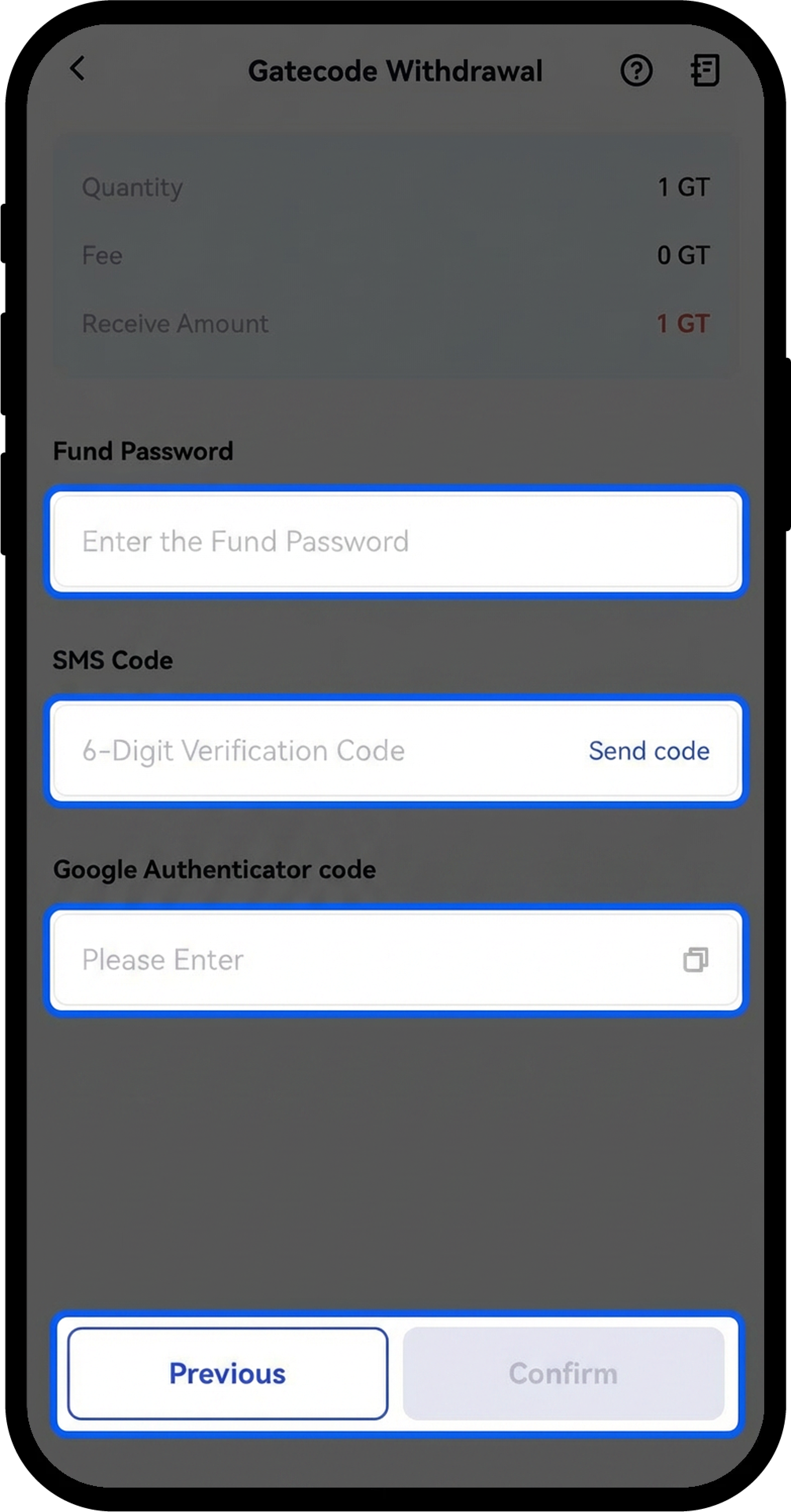
- Complete the security verification by entering:
- Fund password
- Email verification code
- Phone verification code
- Google verification code (if enabled)
- Tap "Confirm" to proceed.
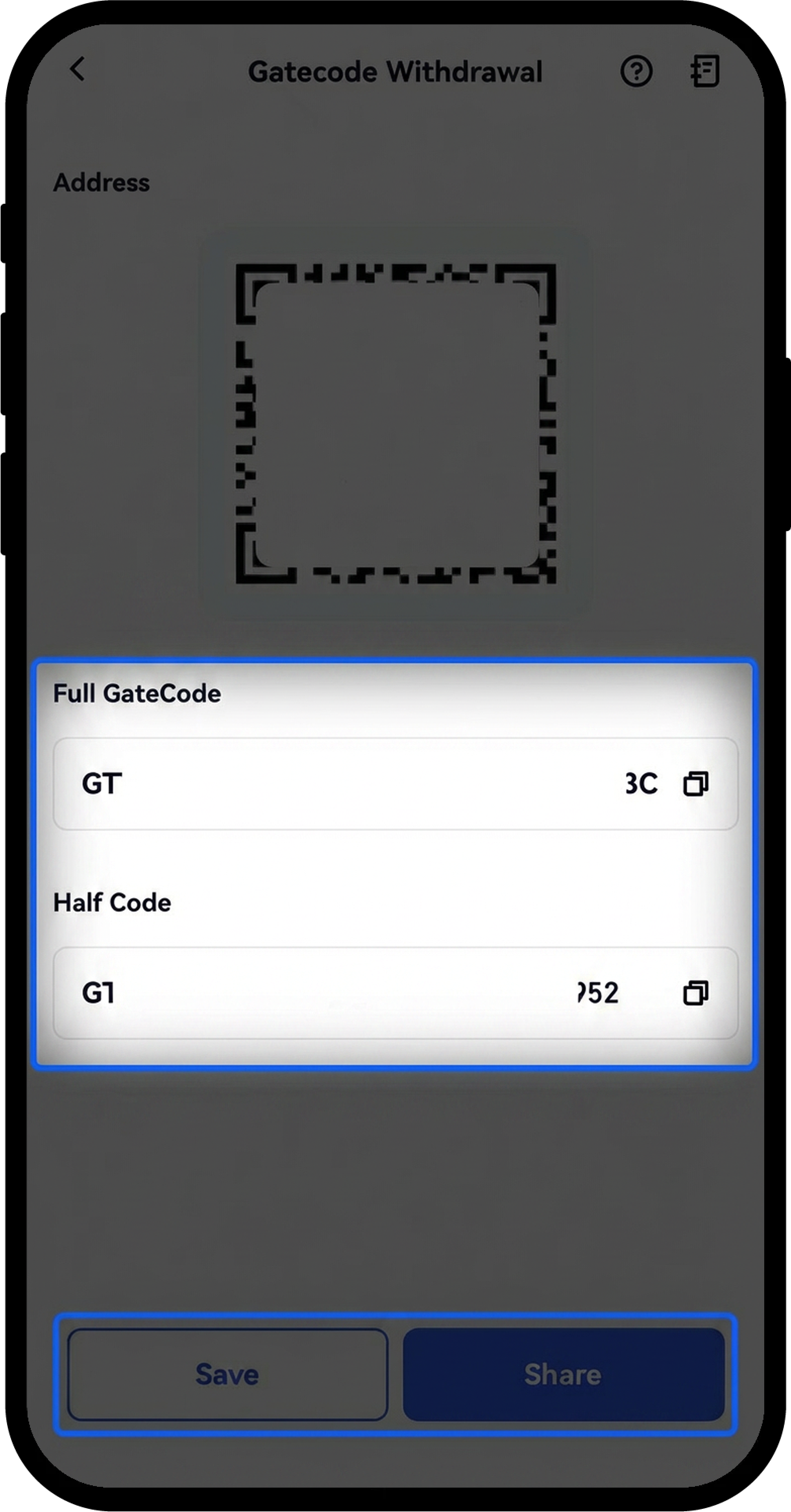
Step 4: Save or Share Your Gate Code
Once the withdrawal is completed, you can:
- Tap "Save" to store the Gate Code
- Tap "Share Screenshot" to share the QR code
- Choose to copy the complete Gate Code or only the first half
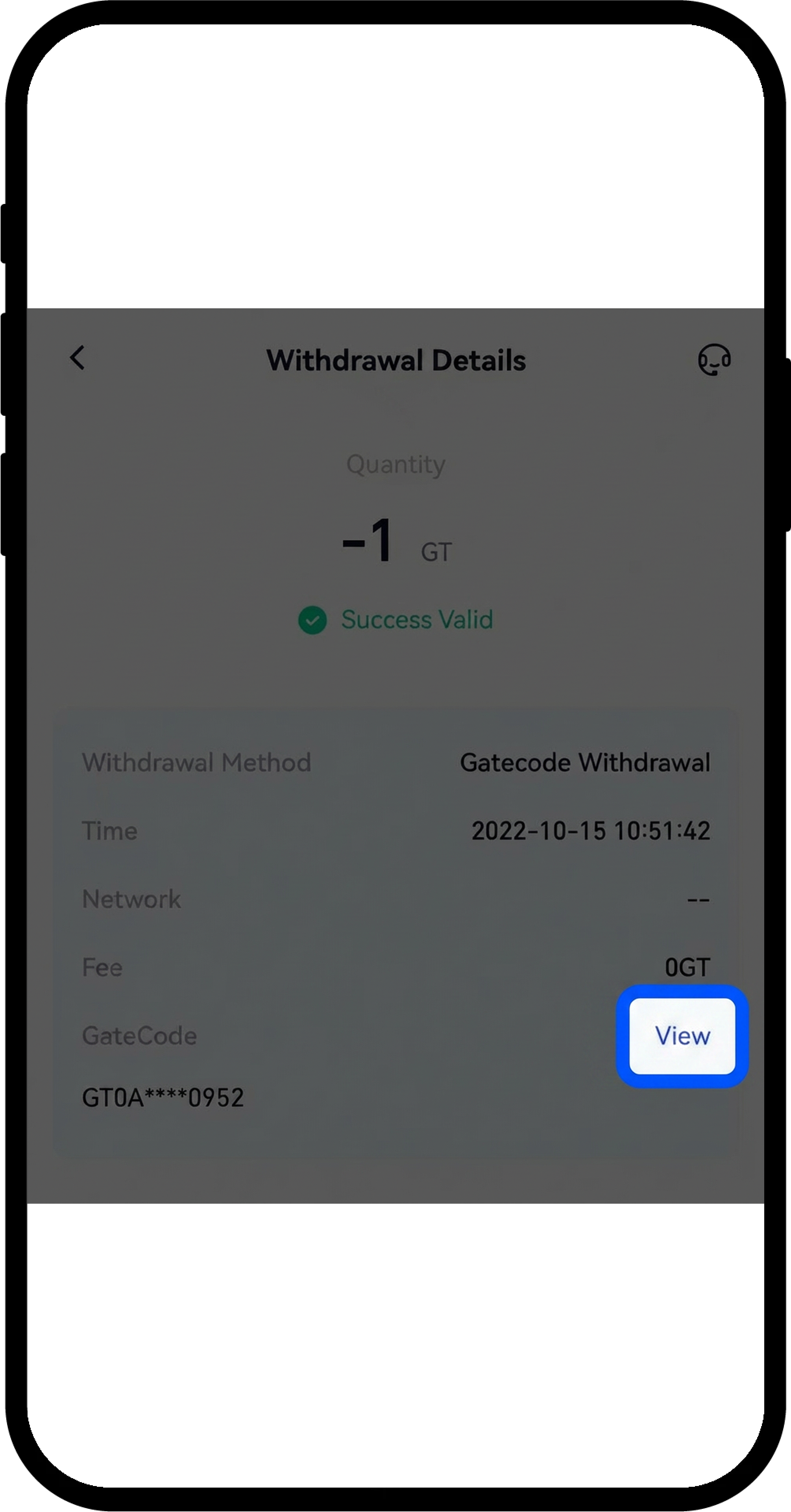
Step 5: View Withdrawal History (Optional)
- Tap the bill icon in the upper right corner of the withdrawal coin selection page.
- View your recent transaction history.
- Tap any withdrawal transaction to view details.
- Tap "View" to copy the complete Gate Code.
Step 6: Redeem a Gate Code for Deposit
- Open the Gate mobile app and log in to your account.
- Tap the profile icon in the lower left corner.
- Select "More Services," scroll down to find "Others," and choose "Gate Code Deposit."
Step 7: Submit Gate Code
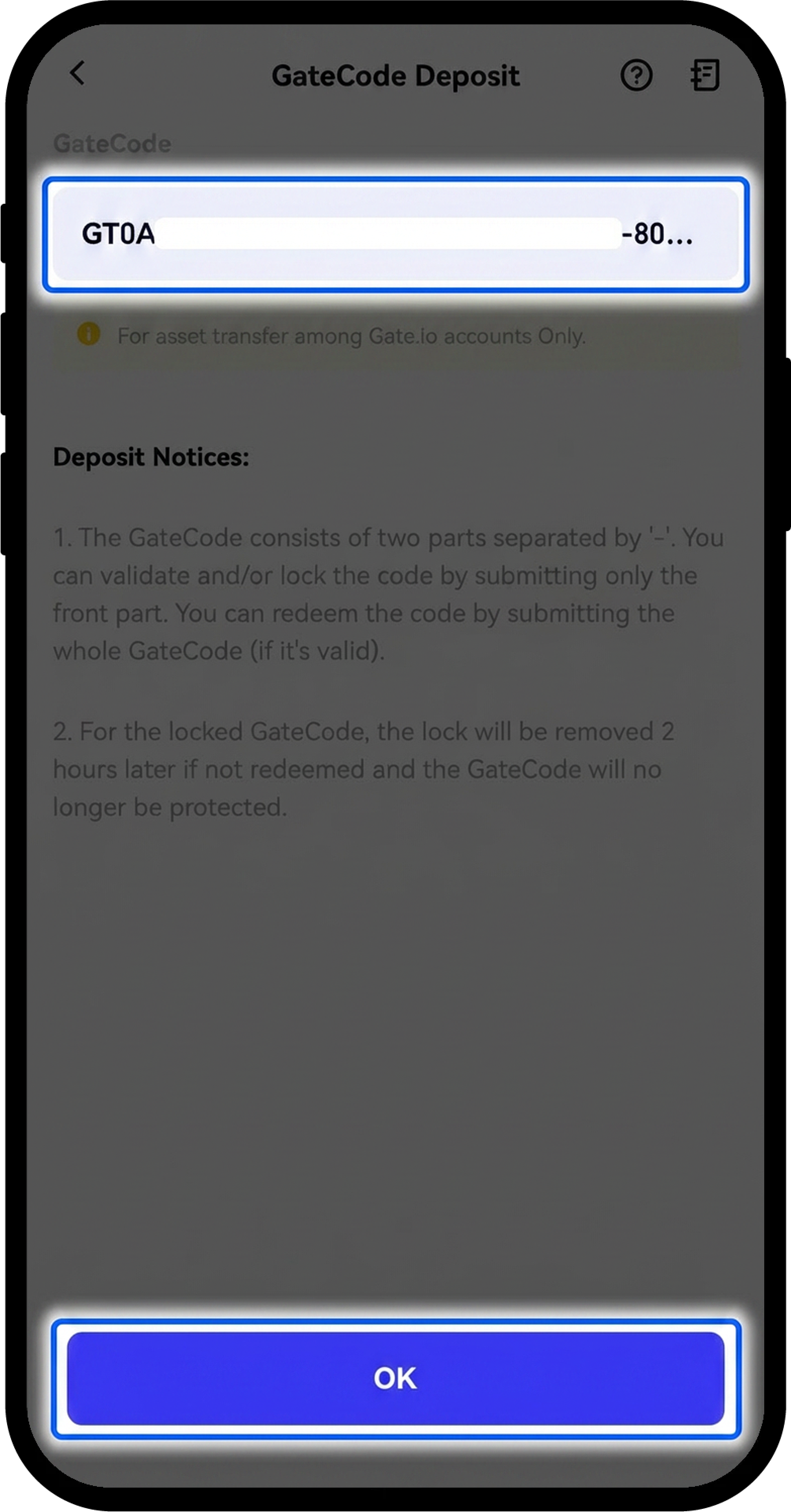
- On the Gate Code deposit page, choose either:
- Scan the QR code
- Paste the Gate Code from your clipboard
- Review the deposit information carefully.
- Tap "Confirm" to proceed.
Step 8: View Deposit Confirmation
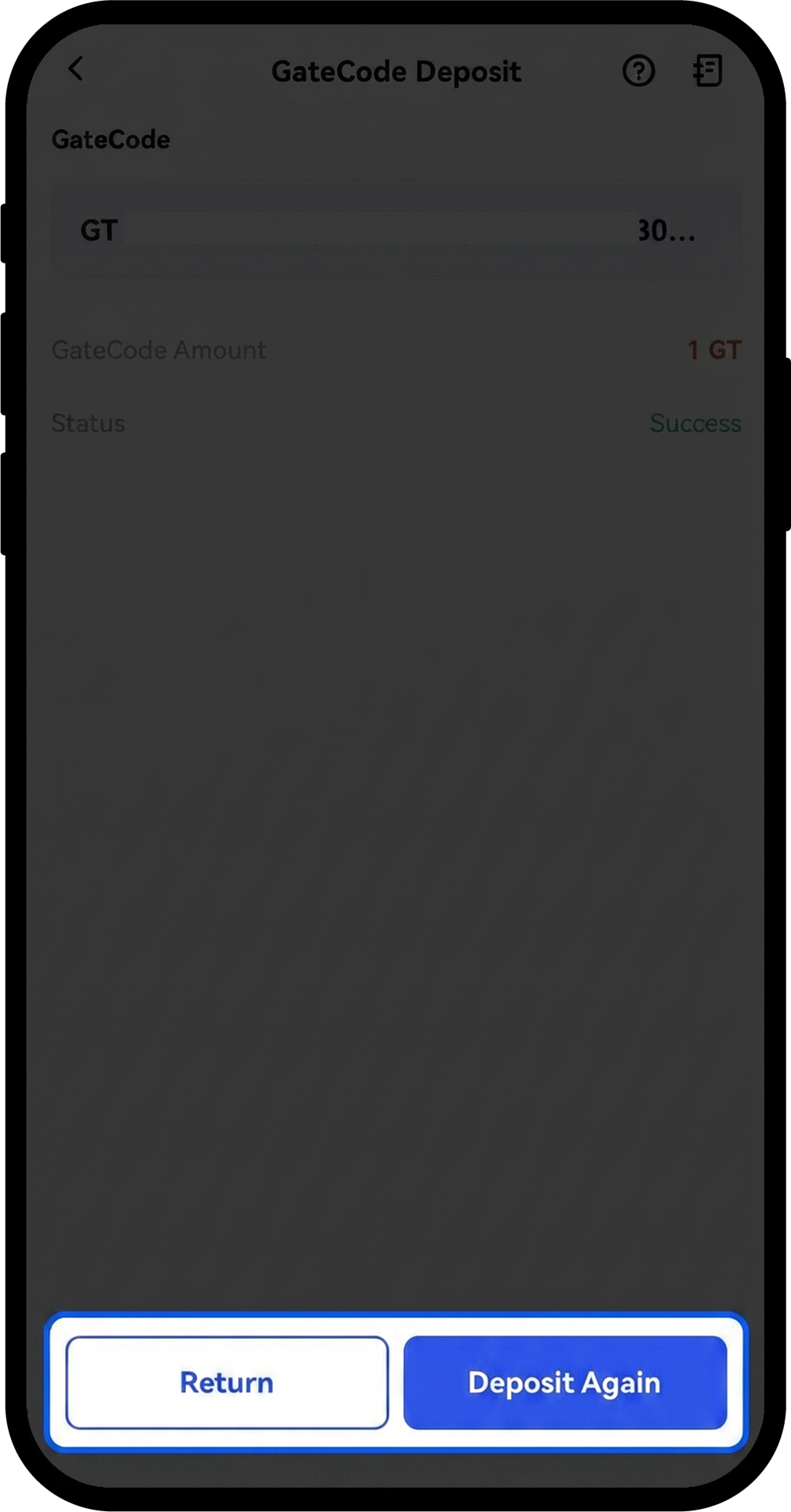
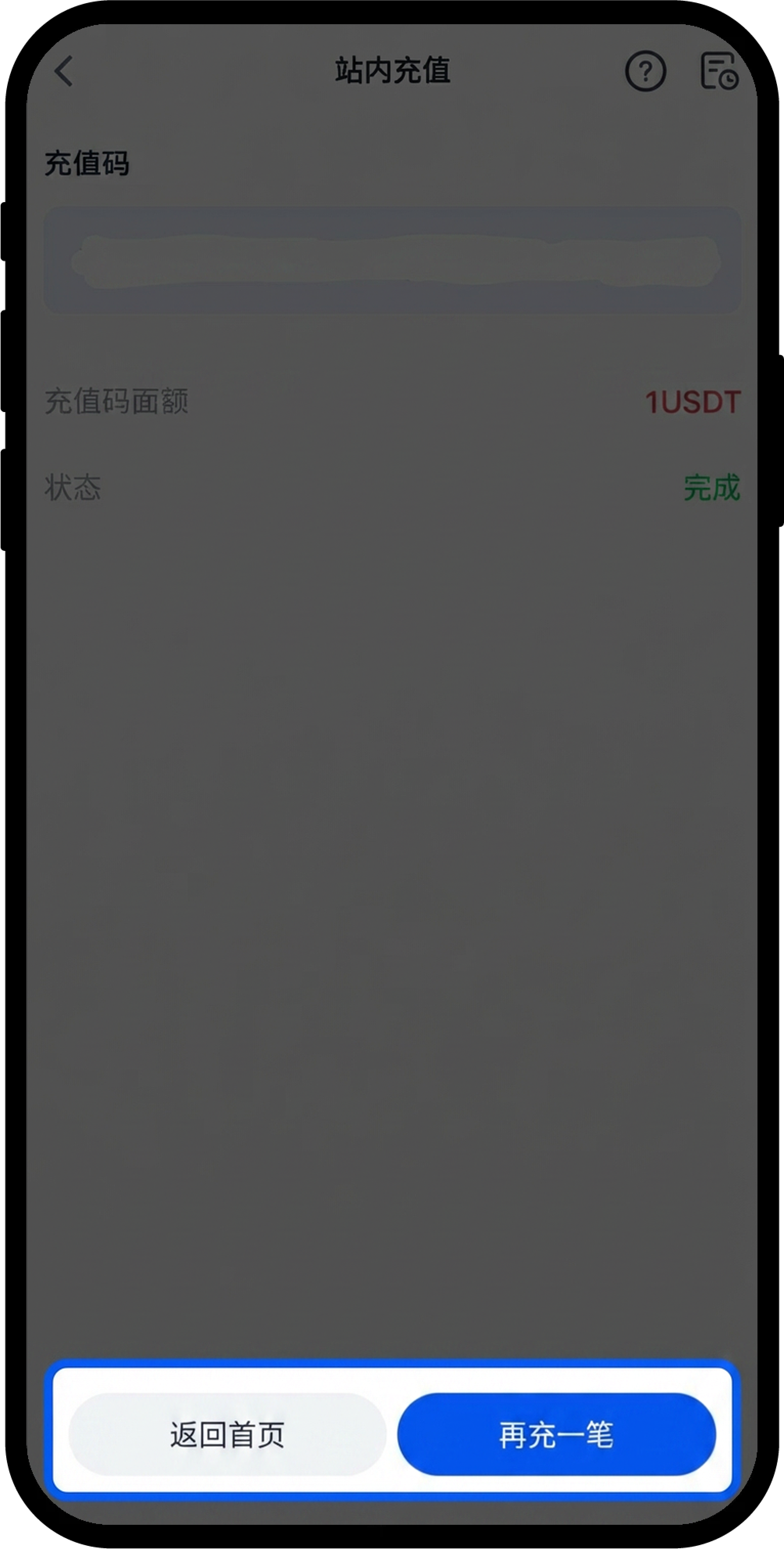
After submitting, the deposit details will be displayed. You can choose to:
- Tap "Deposit Again" to redeem another Gate Code
- Tap "Return to Home" to exit
Notes
- Gate Code consists of two parts separated by a "-". Submitting only the first half allows you to verify the code's value and lock it for 2 hours. Once locked, complete your payment verification before submitting the full code.
- If a Gate Code is locked but not redeemed within 2 hours, it will be automatically unlocked.
- Gate Code transfers between Gate accounts are instant and free of charge.
- You can modify your withdrawal verification methods by tapping "Withdrawal Settings" at the bottom of the withdrawal page. For account safety, it is recommended to keep at least two withdrawal verification methods enabled.
FAQ
Q1: What is Gate Code used for?
A: Gate Code is used to transfer assets between Gate accounts instantly and free of charge. The withdrawing party generates a Gate Code, and the receiving party redeems it to receive the assets.
Q2: Can I cancel a Gate Code after generating it?
A: Once a Gate Code is generated and not yet redeemed, the assets are locked in the code. To return the assets to your account, you must redeem the Gate Code yourself on the deposit page.
Q3: What should I do if I receive a Gate Code from someone I don't know?
A: Always verify the identity of the sender before redeeming any Gate Code. Gate does not offer an official Gate Code trading channel. Never trade with strangers using Gate Codes to avoid potential scams.
Q4: What happens if I only submit the first half of a Gate Code?
A: Submitting the first half allows you to verify the code's value and locks it for 2 hours. This provides protection when purchasing Gate Codes from others. After confirming the payment, you can submit the complete code to complete the deposit.
Q5: How long does a Gate Code remain valid?
A: A locked Gate Code will automatically unlock after 2 hours if not fully redeemed. An unlocked Gate Code remains valid until it is redeemed by someone.
Disclaimer
The content provided herein is for reference and educational purposes only and does not constitute any financial, investment, trading, or legal advice, nor does it constitute an offer or solicitation to buy or sell any digital assets. Gate makes no express or implied representations or warranties regarding the accuracy, completeness, or timeliness of the information contained herein. Product features, interfaces, rules, and fee structures may be updated or adjusted at any time. Please refer to the latest announcements and the actual information displayed on the Gate platform for the most accurate details.
Digital asset investments involve significant risk, and prices may fluctuate substantially. You may lose the entire amount of your investment. Please make decisions cautiously based on your own financial situation and risk tolerance after fully understanding the associated risks. If necessary, you are advised to consult an independent professional financial or legal advisor.
For more information about potential risks, please refer to Gate's Risk Disclosure and User Agreement.
