


Applicable Scope
This guide applies to Gate App
Before you start: Complete KYC verification and reach VIP level 1 or above
Estimated time: 5 m
Objective
This guide will walk you through how to set up and manage Exclusive Subscription in Square on Gate App.
Steps
Step 1: Access Your Square Profile
- Log in to your Gate account on the App.
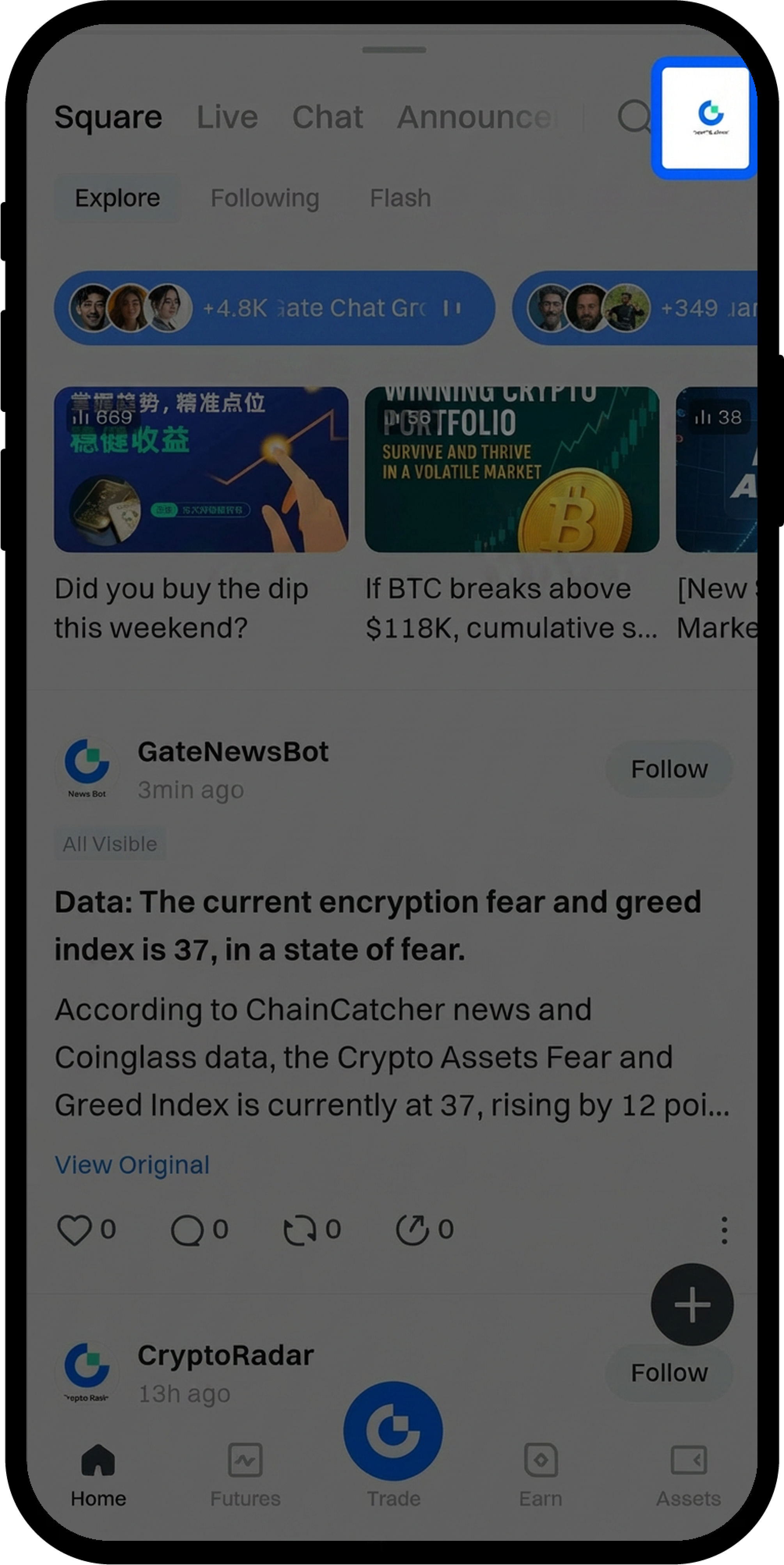
- Click "Square" at the bottom navigation bar.
- Click the Gate "Avatar" icon in the upper right corner.
Step 2: Navigate to Exclusive Subscription Settings
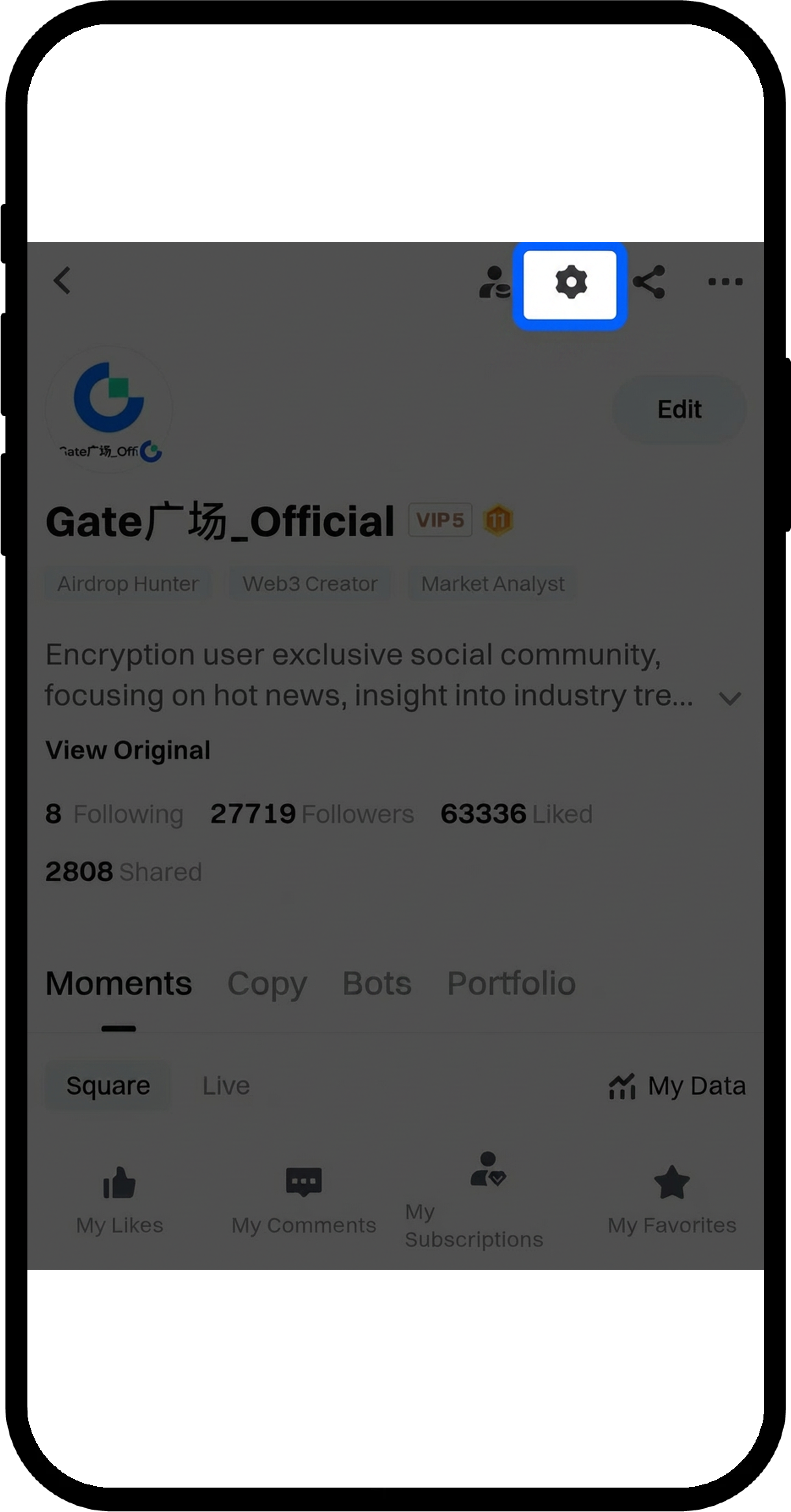
- Click "Profile Settings".
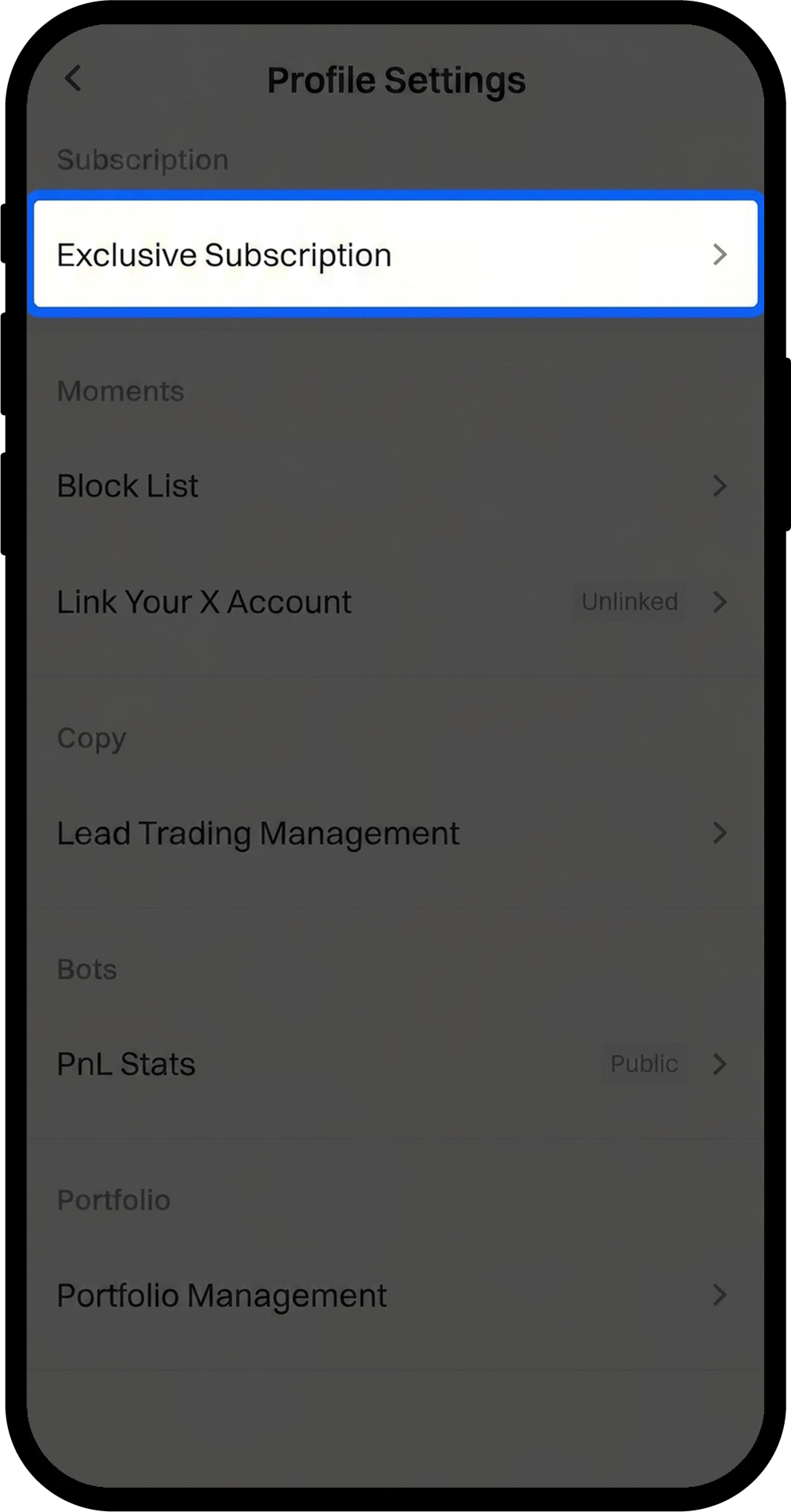
- Select "Exclusive Subscription".
Step 3: Configure Your Subscription Plans
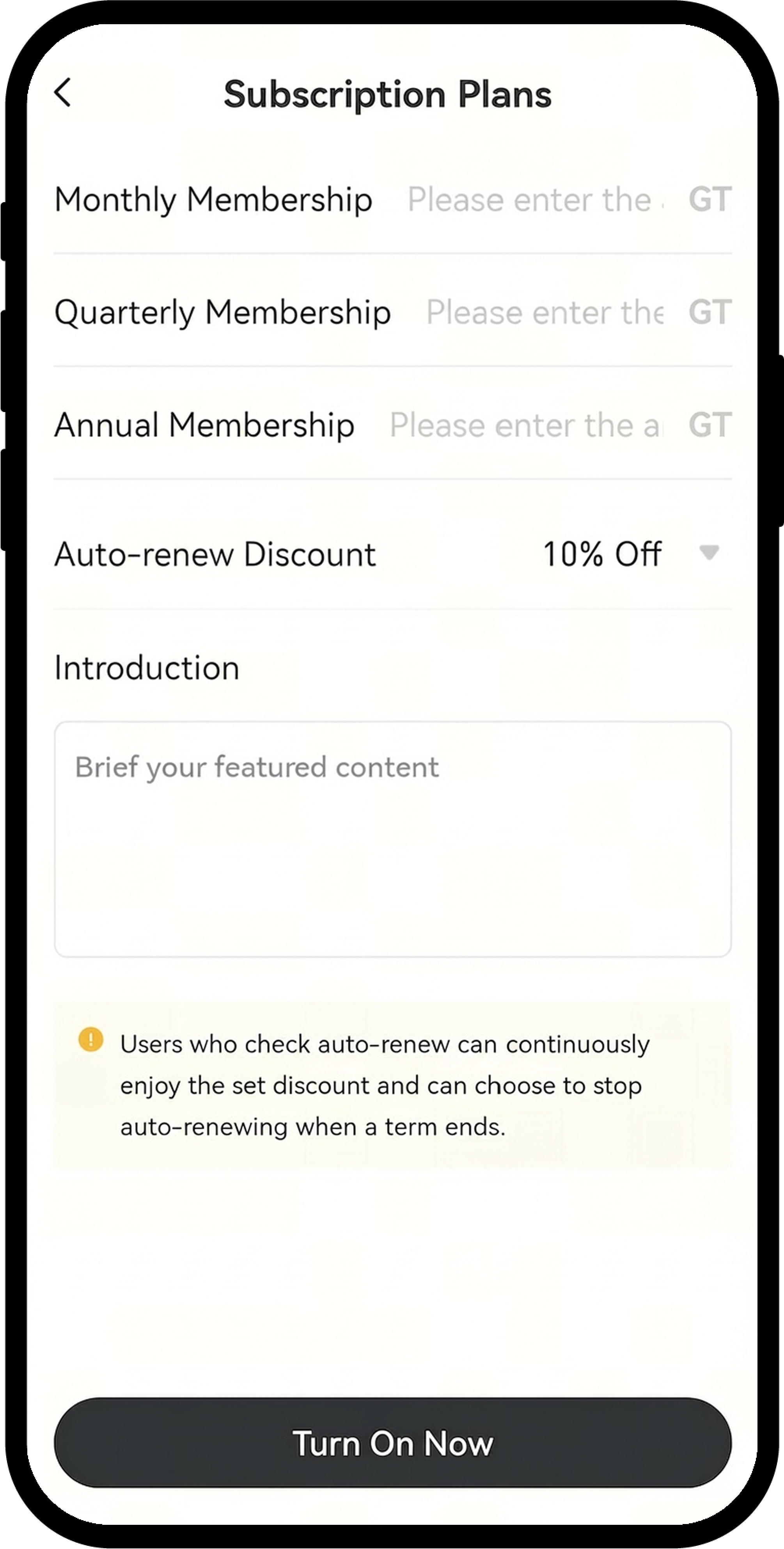
- Set your subscription fee (minimum 0.1 GT).
- Choose a discount rate for auto-renewal options: 0%, 10%, 20%... up to 90%.
- Click "Turn On Now" to activate.
Step 4: Verify Activation
Once completed, your Exclusive Subscription feature is now active and ready to accept subscribers.
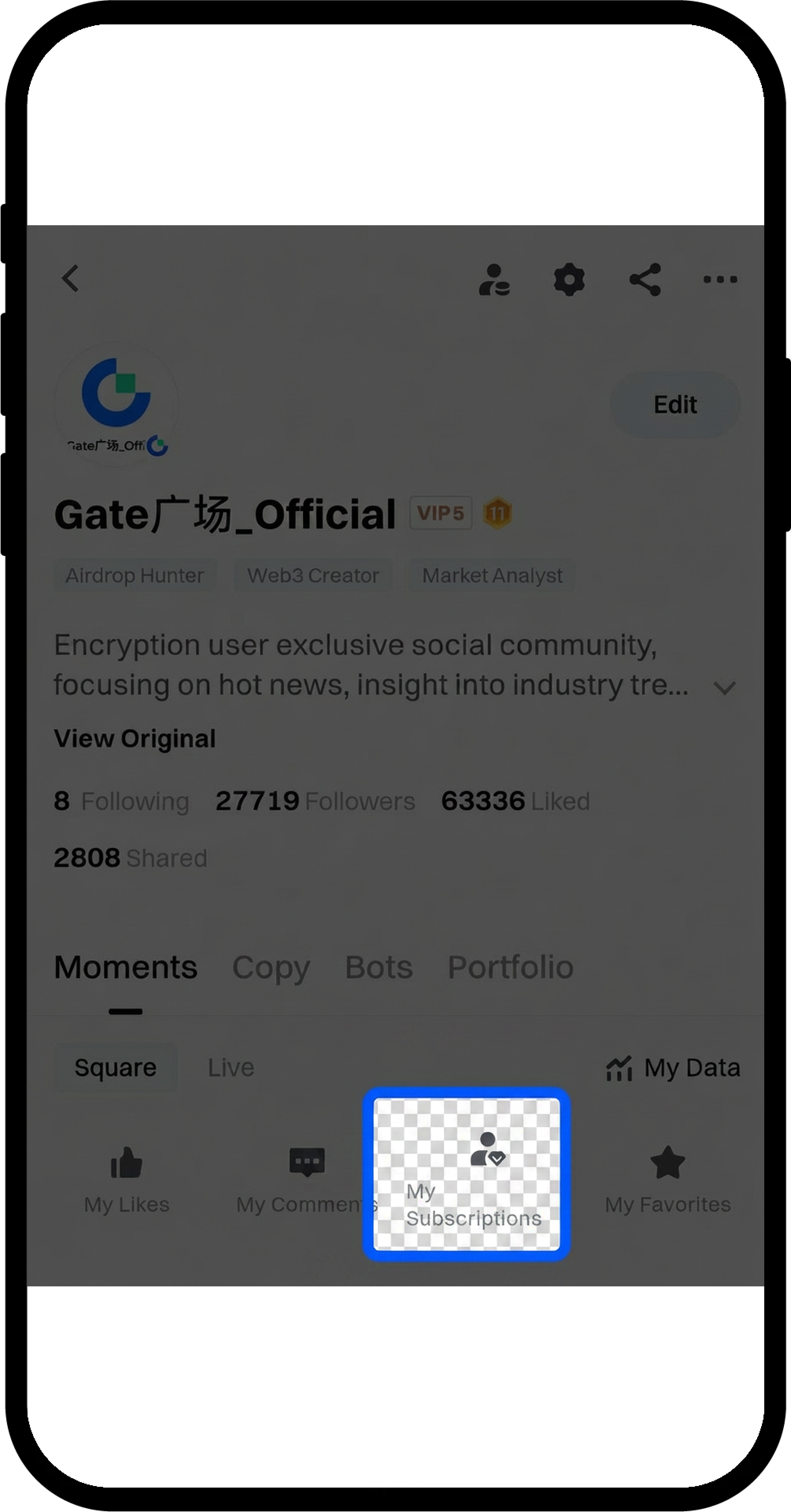
Step 5: Manage Your Subscriptions
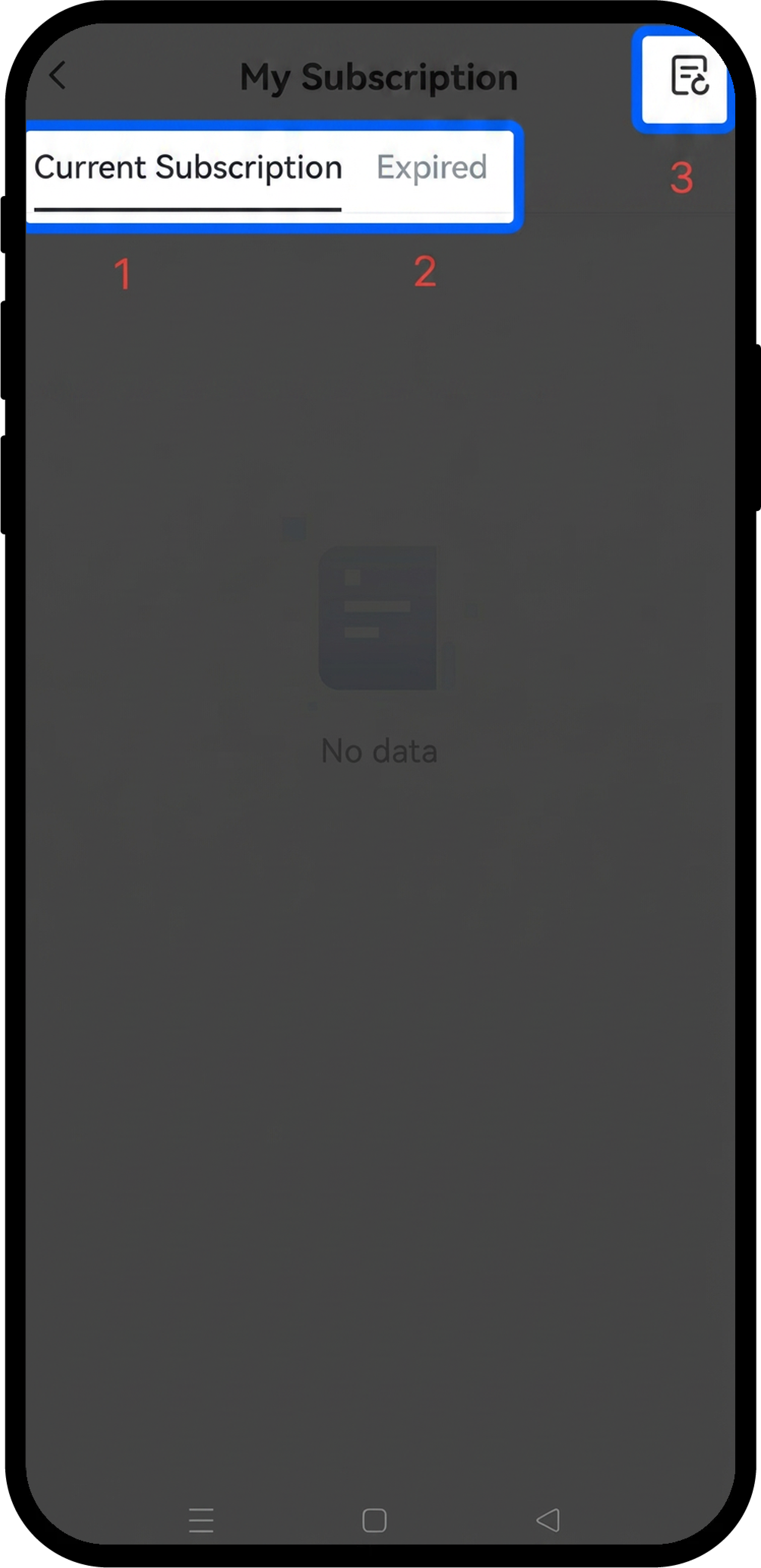
Access the Exclusive Subscription management panel to view:
- "Current Subscription": View details of all active subscribers
- "Expired": View users whose subscriptions have expired
- "Transaction": View income records from subscription fees
Step 6: Create Subscriber-Only Content
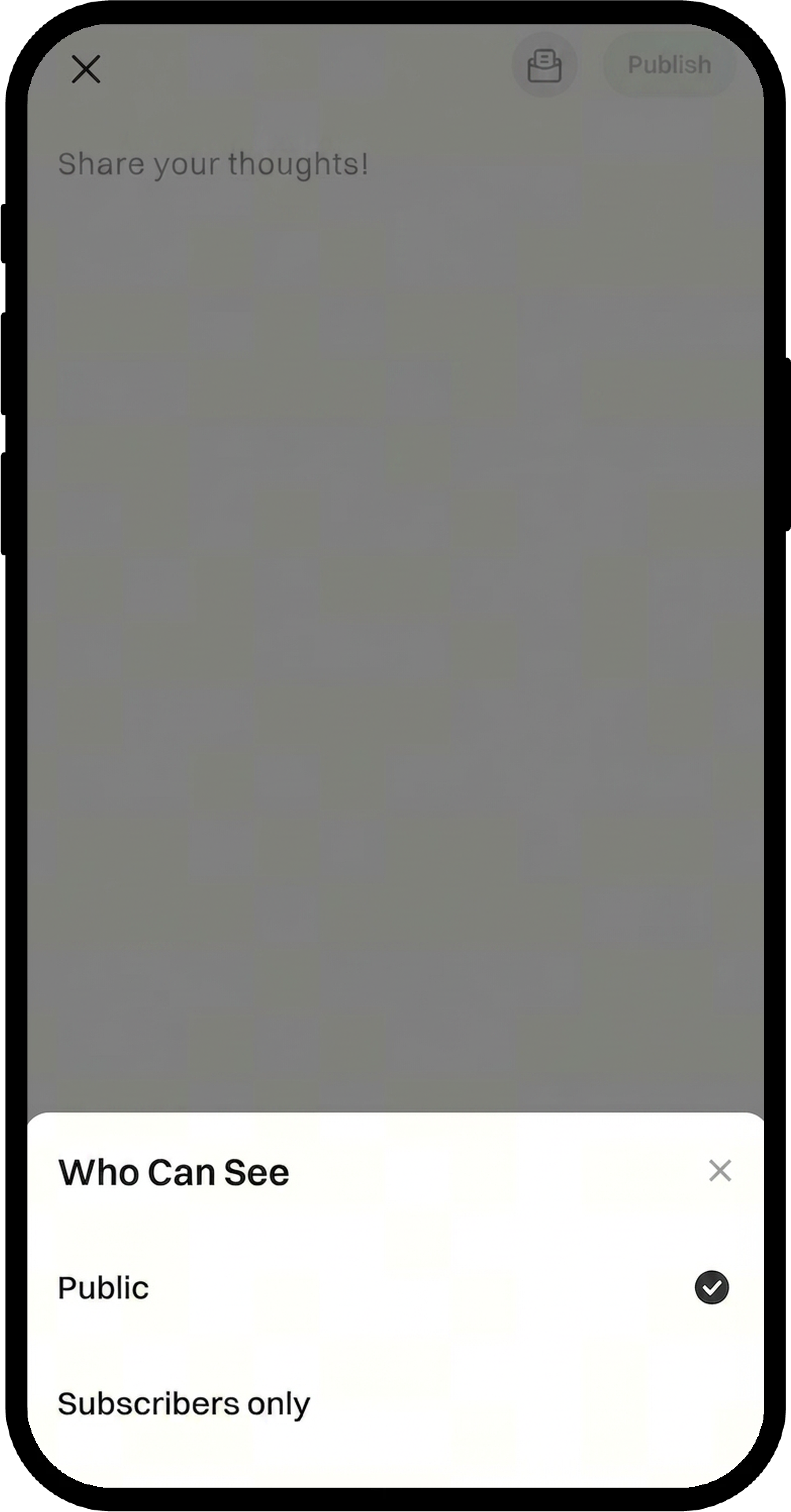
- When creating a new post, click the visibility settings button in the bottom-right corner.
- Check "Subscribers Only" to restrict the post to paying subscribers.
Notes
- Subscription income is settled every 30 days and credited to your account after settlement.
- Users who enable auto-renewal will receive the discount rate you set and can stop auto-renewing at any term end.
- Price adjustments affect subscribers differently:
- Price increase: Existing subscribers continue at their original price.
- Price decrease: Renewals will be charged at the new lower price.
FAQ
Q1: What are the requirements to enable Exclusive Subscription?
A: You must complete KYC (Identity verification) and reach VIP level 1 or above before setting up Exclusive Subscription.
Q2: What content can my subscribers access?
A: Subscribers are entitled to view any exclusive posts and live streams you create and mark as "Subscribers Only".
Q3: Can I change my subscription price after setting it up?
A: Yes, you can adjust your subscription price at any time. Existing subscribers will continue at their original price if you increase the fee, while renewals will be charged at the new lower price if you decrease it.
Q4: When will I receive my subscription income?
A: Subscription income is settled every 30 days and credited to your account after the settlement period.
Disclaimer
The content provided herein is for reference and educational purposes only and does not constitute any financial, investment, trading, or legal advice, nor does it constitute an offer or solicitation to buy or sell any digital assets. Gate makes no express or implied representations or warranties regarding the accuracy, completeness, or timeliness of the information contained herein. Product features, interfaces, rules, and fee structures may be updated or adjusted at any time. Please refer to the latest announcements and the actual information displayed on the Gate platform for the most accurate details.
Digital asset investments involve significant risk, and prices may fluctuate substantially. You may lose the entire amount of your investment. Please make decisions cautiously based on your own financial situation and risk tolerance after fully understanding the associated risks. If necessary, you are advised to consult an independent professional financial or legal advisor.
For more information about potential risks, please refer to Gate's Risk Disclosure and User Agreement.
