Help Center
Guide for Beginners
Deposit & Withdrawal

How to Make Onchain Deposit/Withdrawal on Gate (App) | Gate

2 hours 33 minute 10 sec ago
4,112,399 Read
9,223

Applicable Scope

This guide applies to Gate App
Before you start: Ensure you have completed identity verification and have enabled necessary security features (Fund Password, Email/SMS verification, Google Authenticator)
Estimated time: 5 m

Objective

This guide will walk you through how to deposit and withdraw cryptocurrencies via blockchain networks on Gate App.

Steps

Step 1: Access the Deposit Function

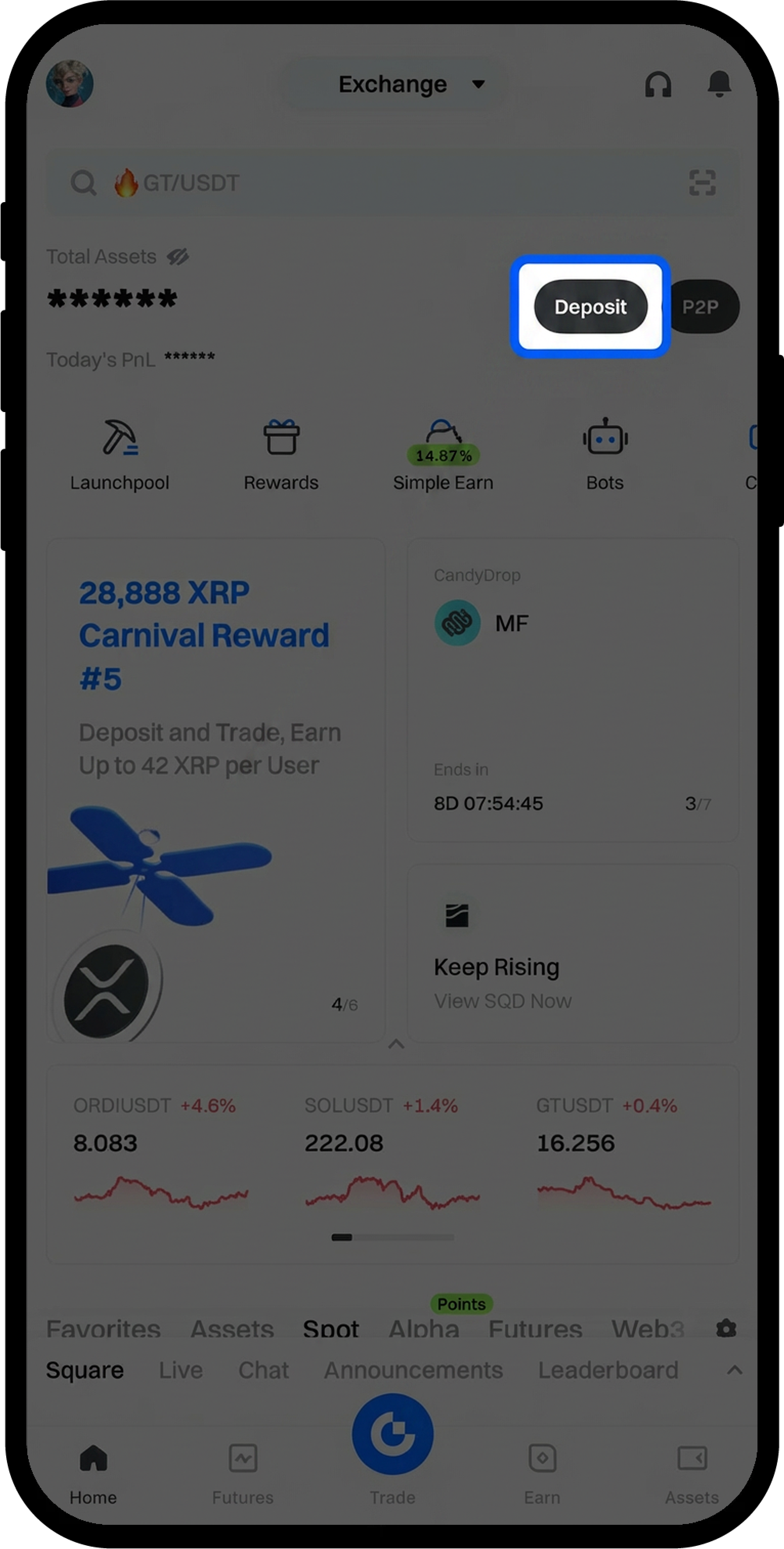
  1. Log in to your account on the Gate App.
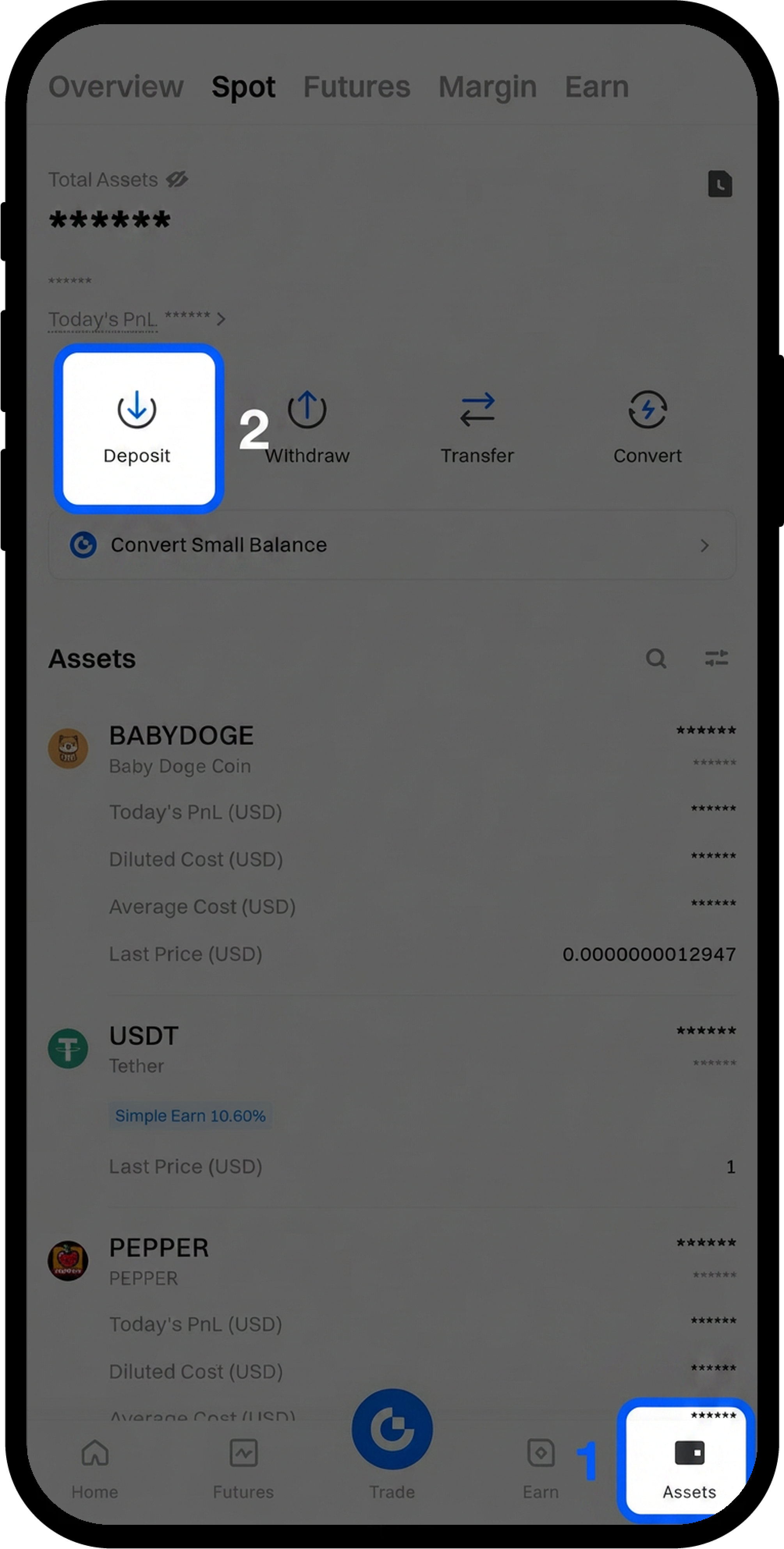
  2. Choose one of the following methods to access the deposit page:
    • Tap [Deposit] at the top right corner of the homepage, or
    • Go to [Assets] - [Deposit]

image
image

Step 2: Select Deposit Method and Cryptocurrency

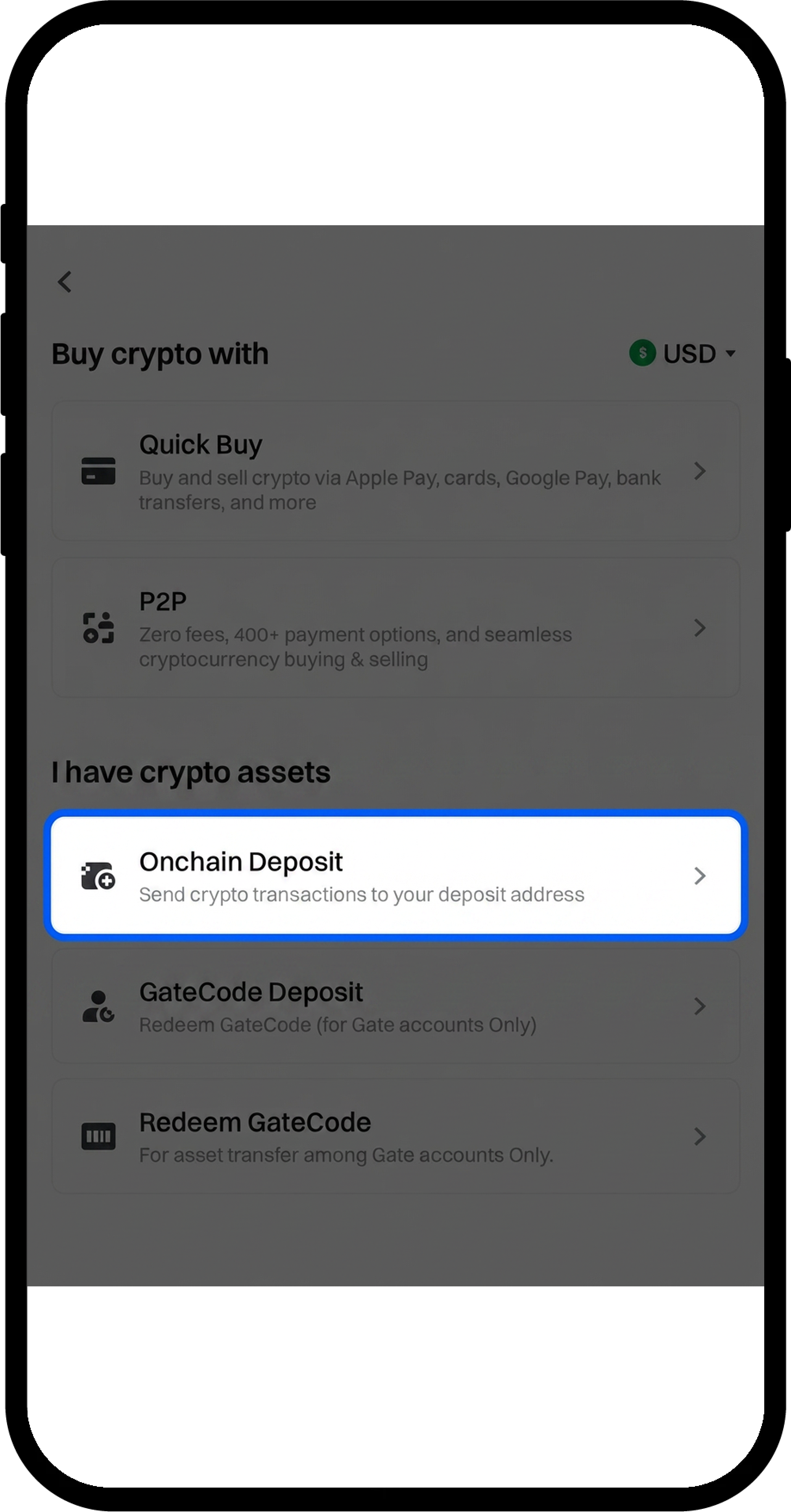
  1. Select [Onchain Deposit].
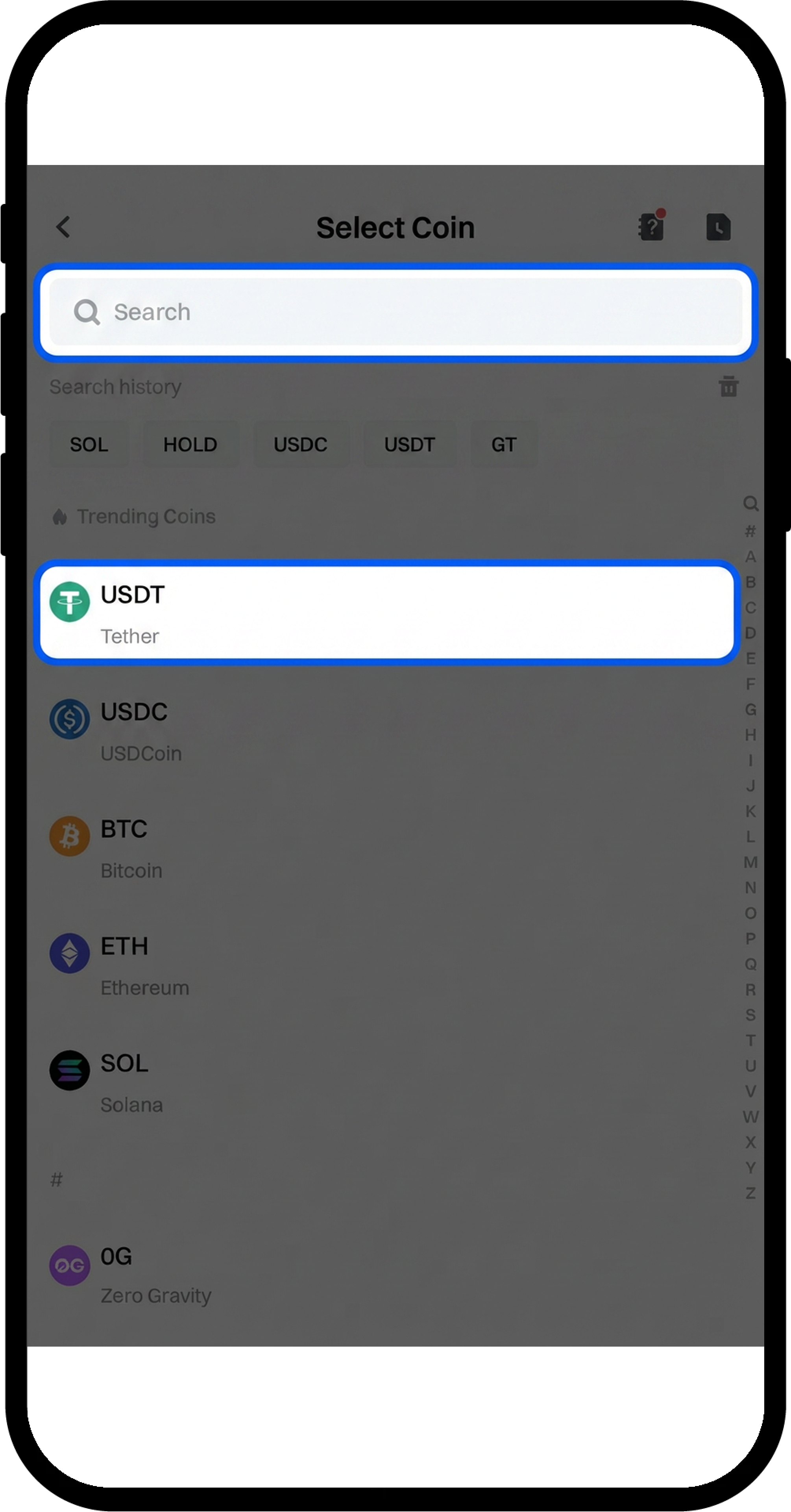
  2. Enter or search for the cryptocurrency you want to deposit (this example uses USDT).

image
image

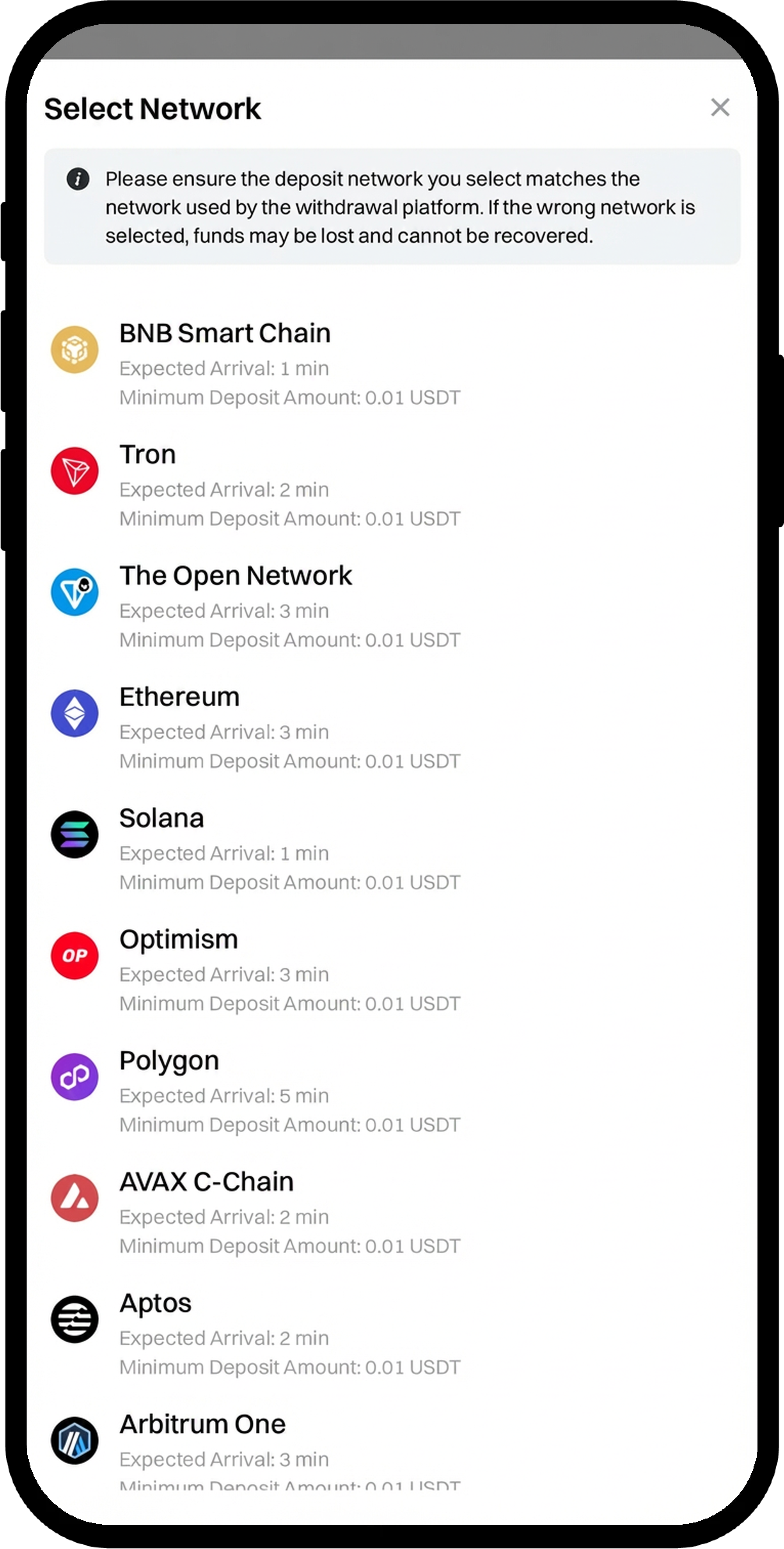
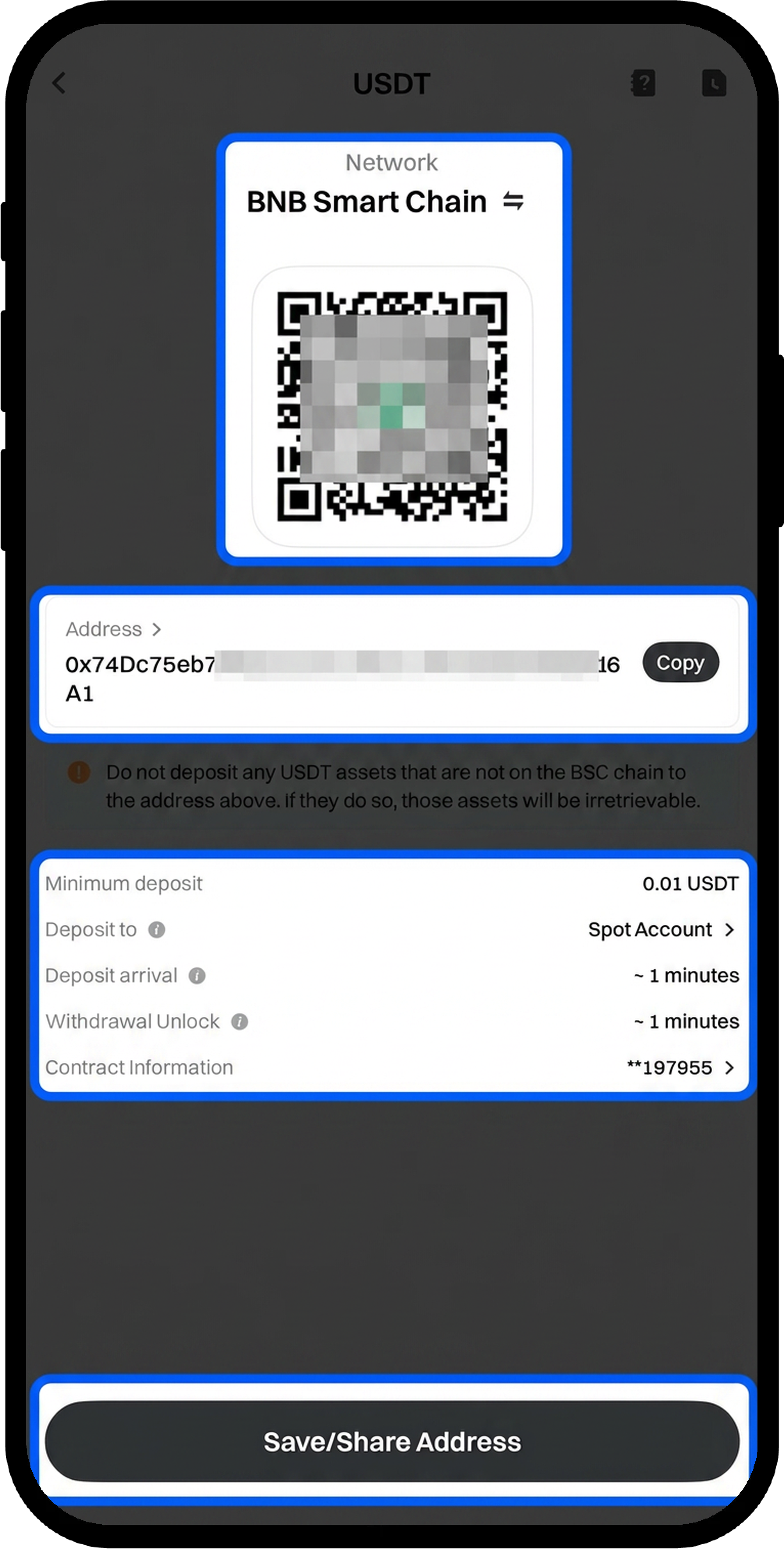
Step 3: Choose Network and Obtain Deposit Address

  1. Select the appropriate deposit network from the available options.
  2. Copy the deposit [Address] or save the QR code for the deposit.

image
image

Step 4: Complete the Deposit

  1. Navigate to your withdrawal platform or wallet.
  2. Paste the copied address or scan the QR code to initiate the transfer.
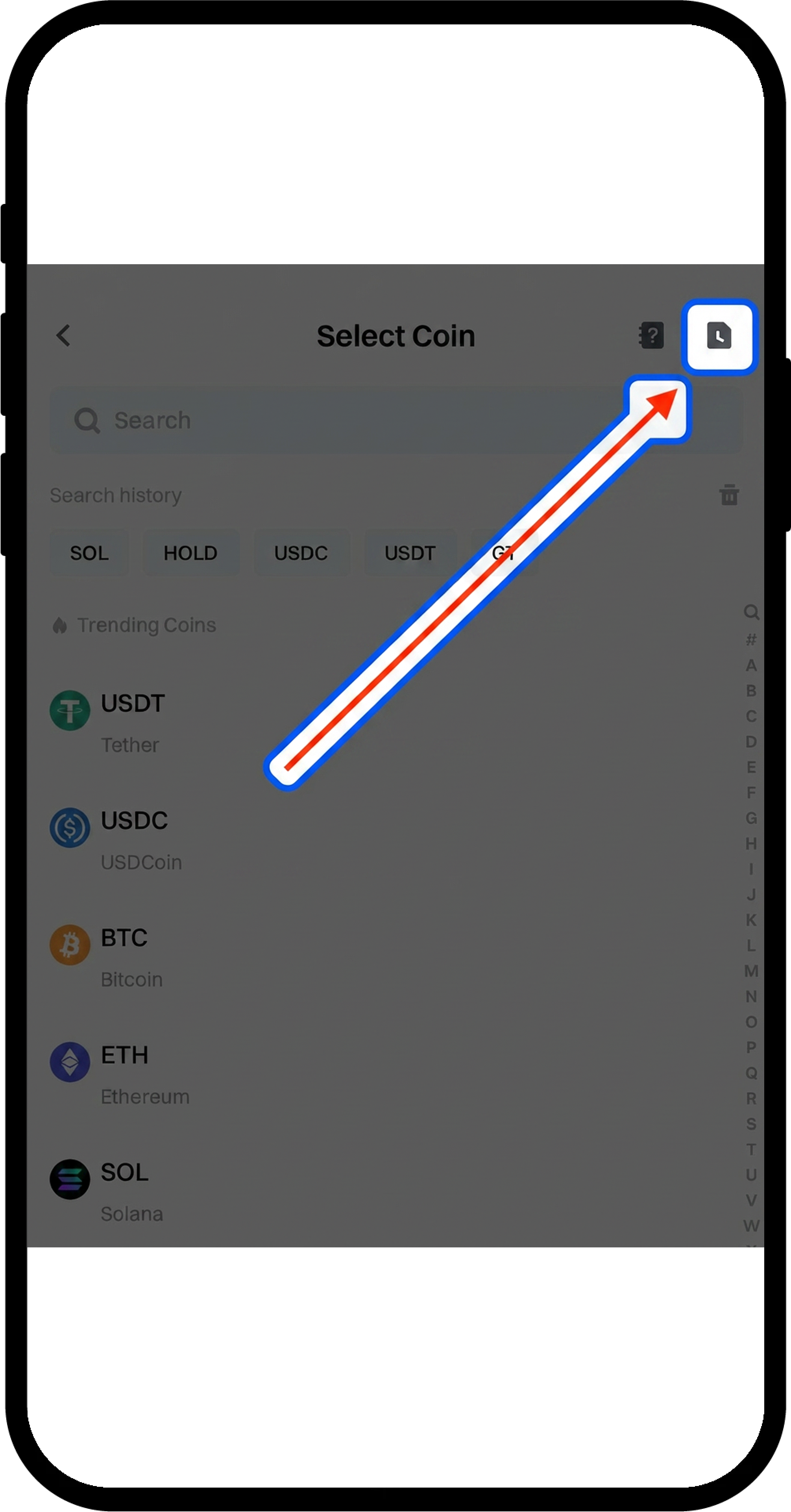
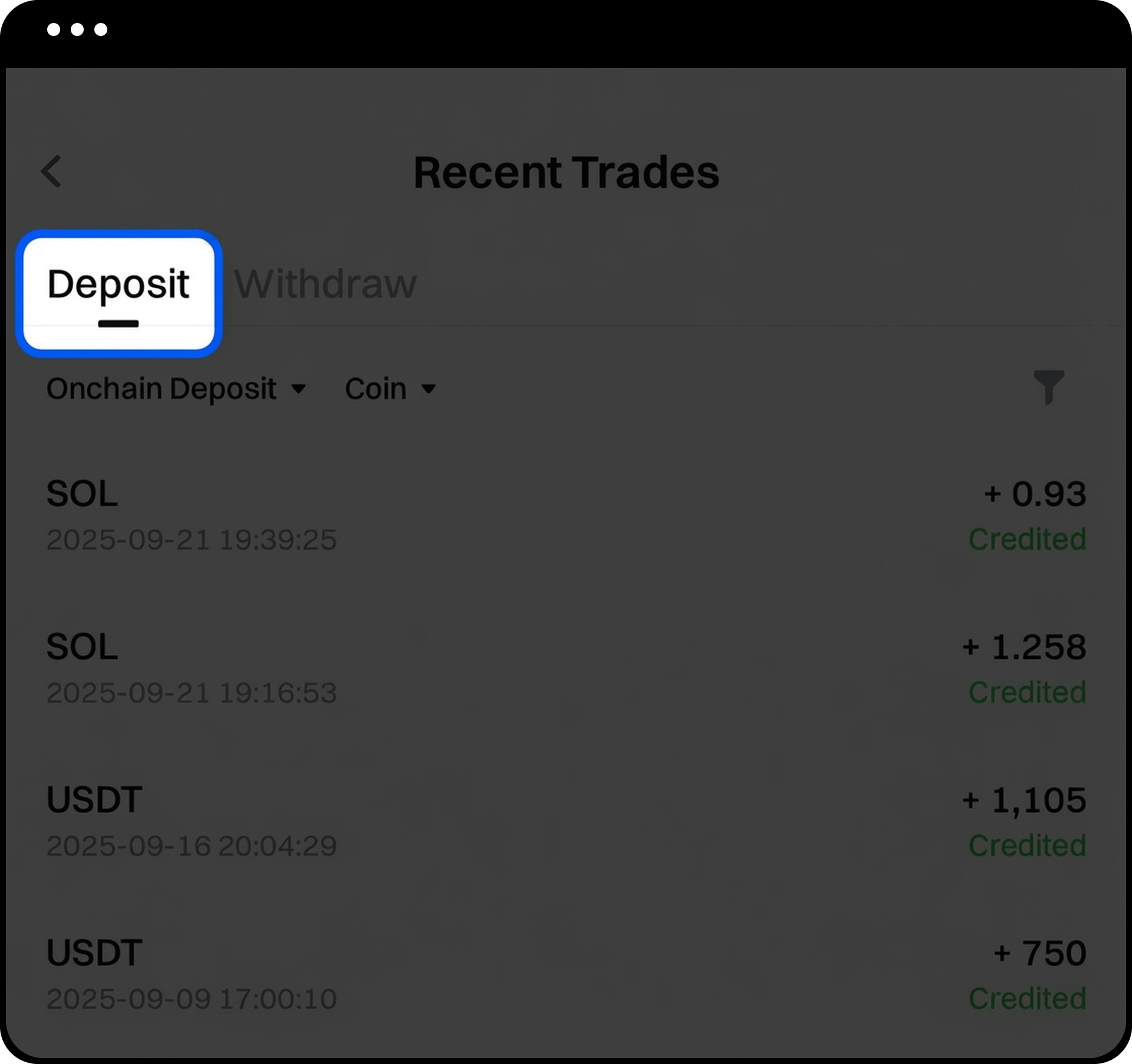
  3. After completing the deposit, tap the [Notebook] icon at the top right corner of the deposit page to view [Recent Trades].

image
image

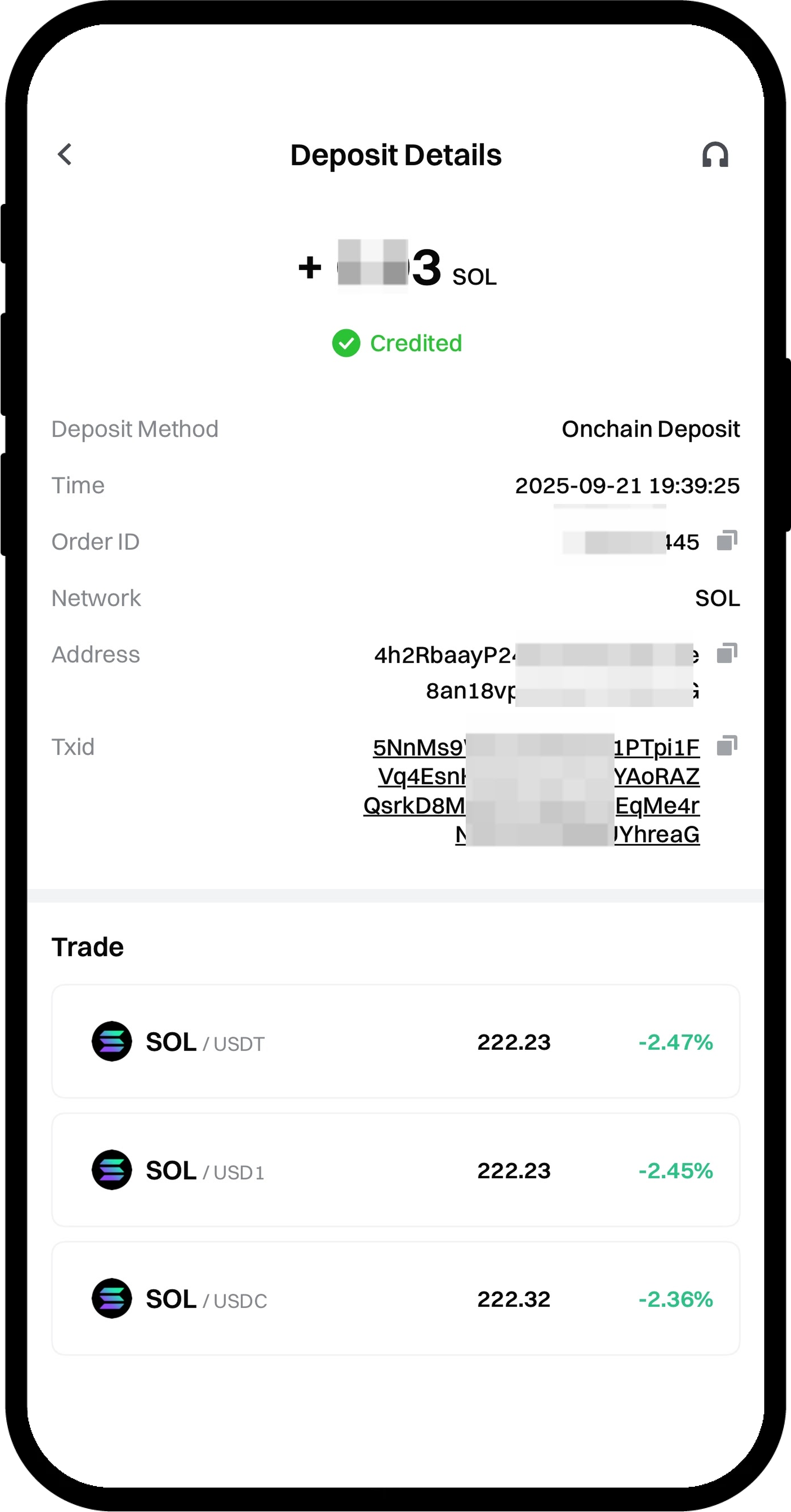
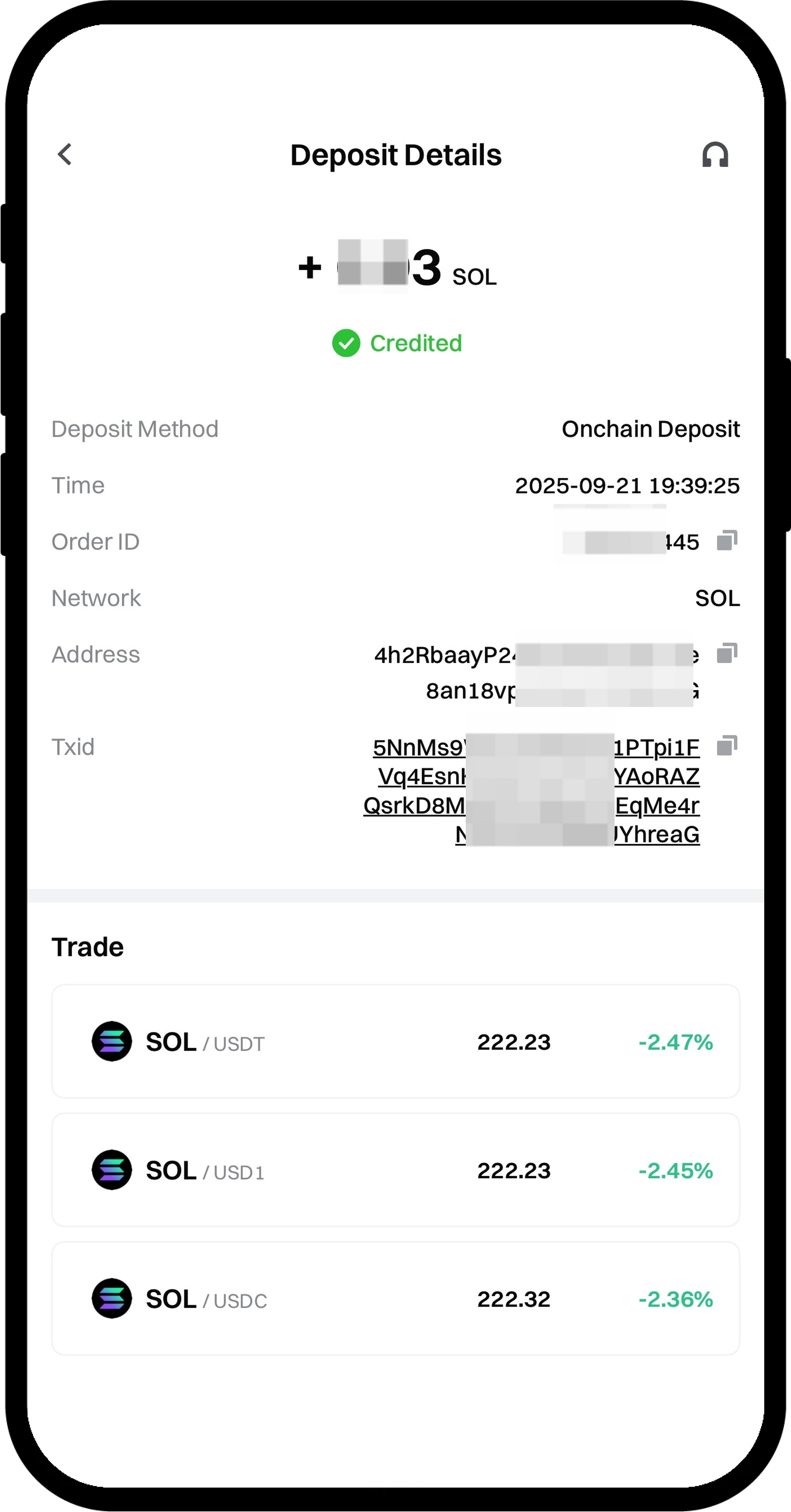
  1. Tap any deposit record to view detailed [Deposit Details].

image

Step 5: Access the Withdrawal Function

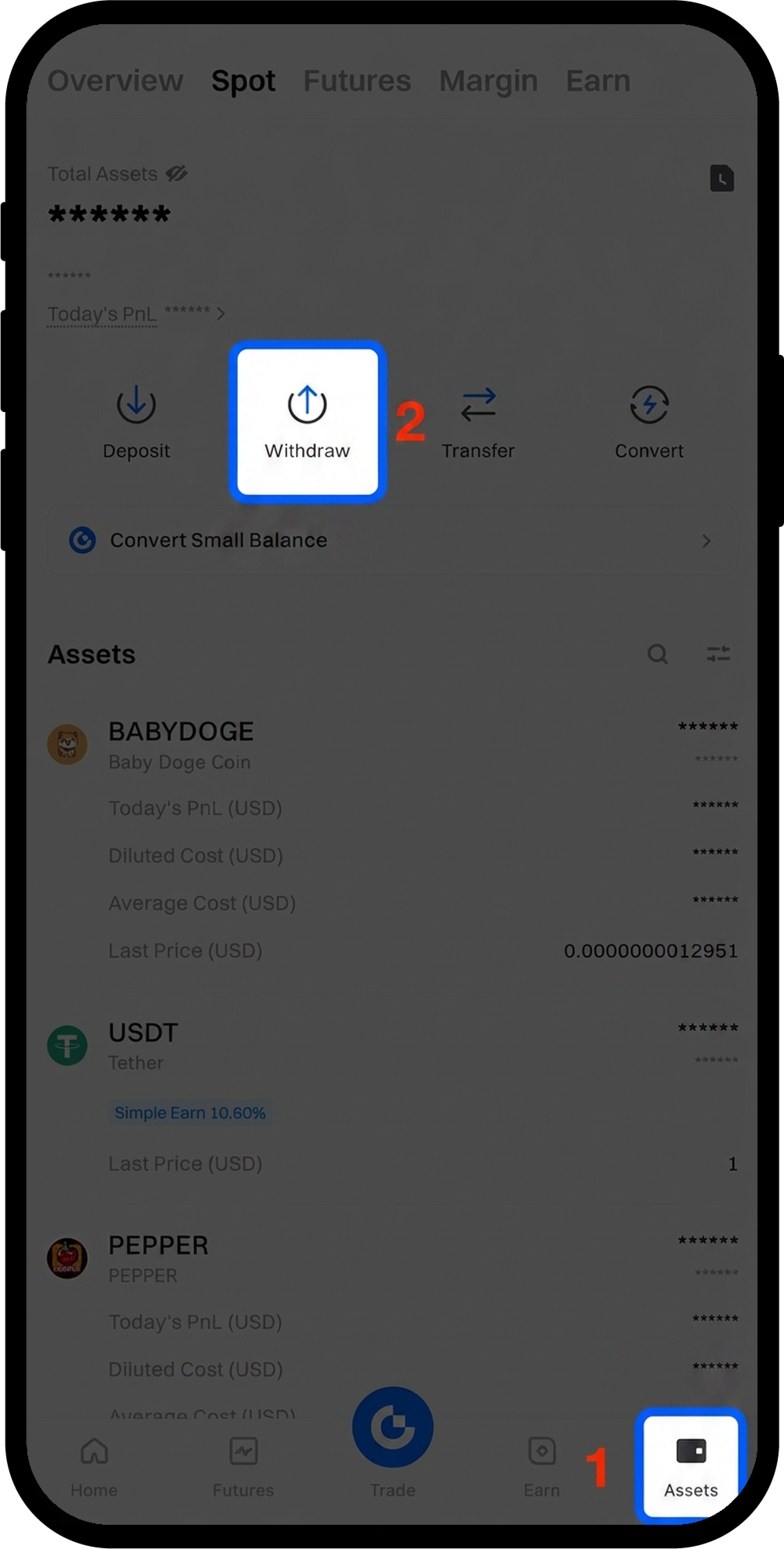
  1. From the Gate App, tap [Assets] - [Withdraw].

image

Step 6: Select Withdrawal Method and Cryptocurrency

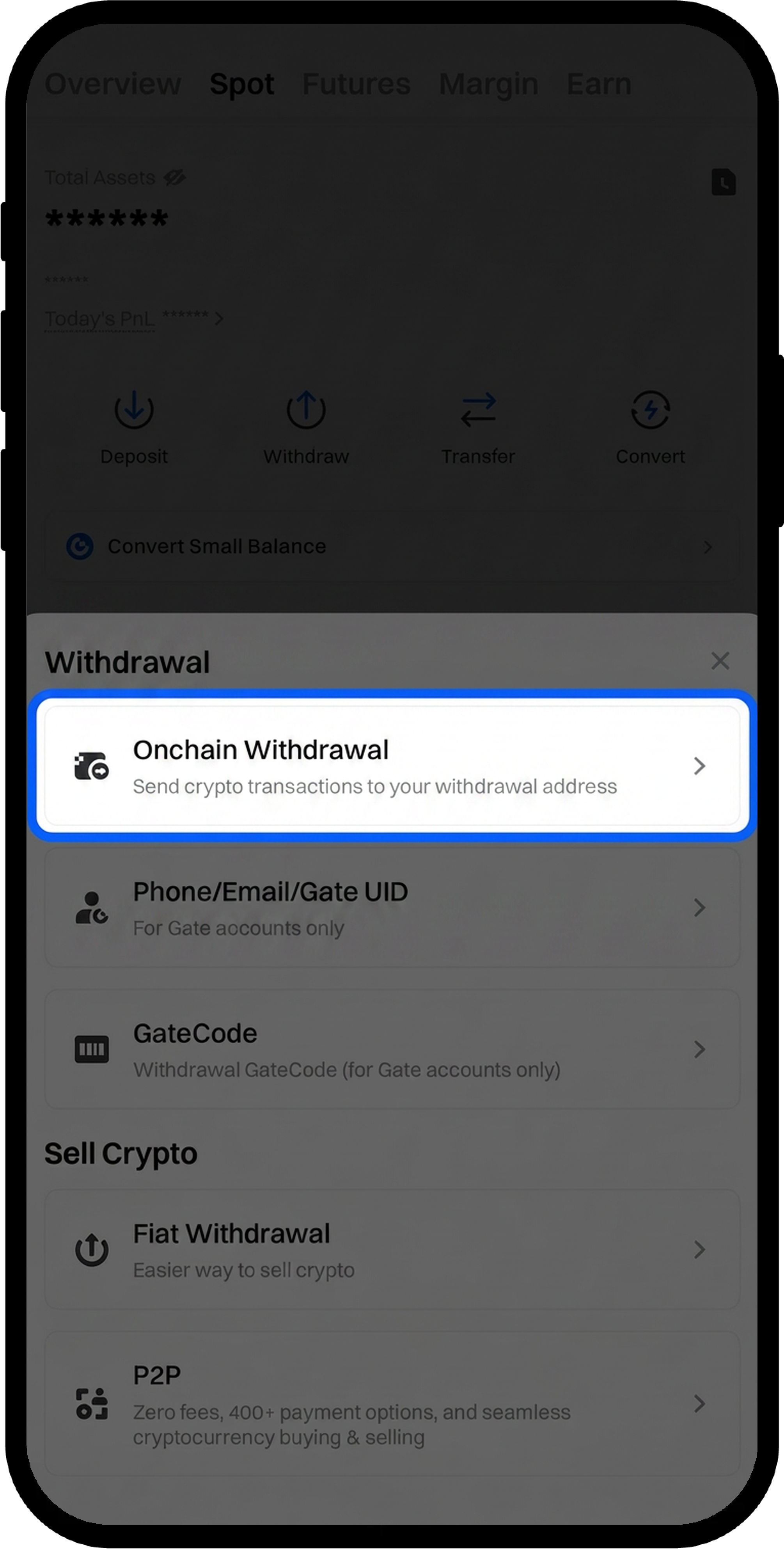
  1. Select [Onchain Withdrawal].
  2. Enter or search for the cryptocurrency you want to withdraw (this example uses USDT).

image

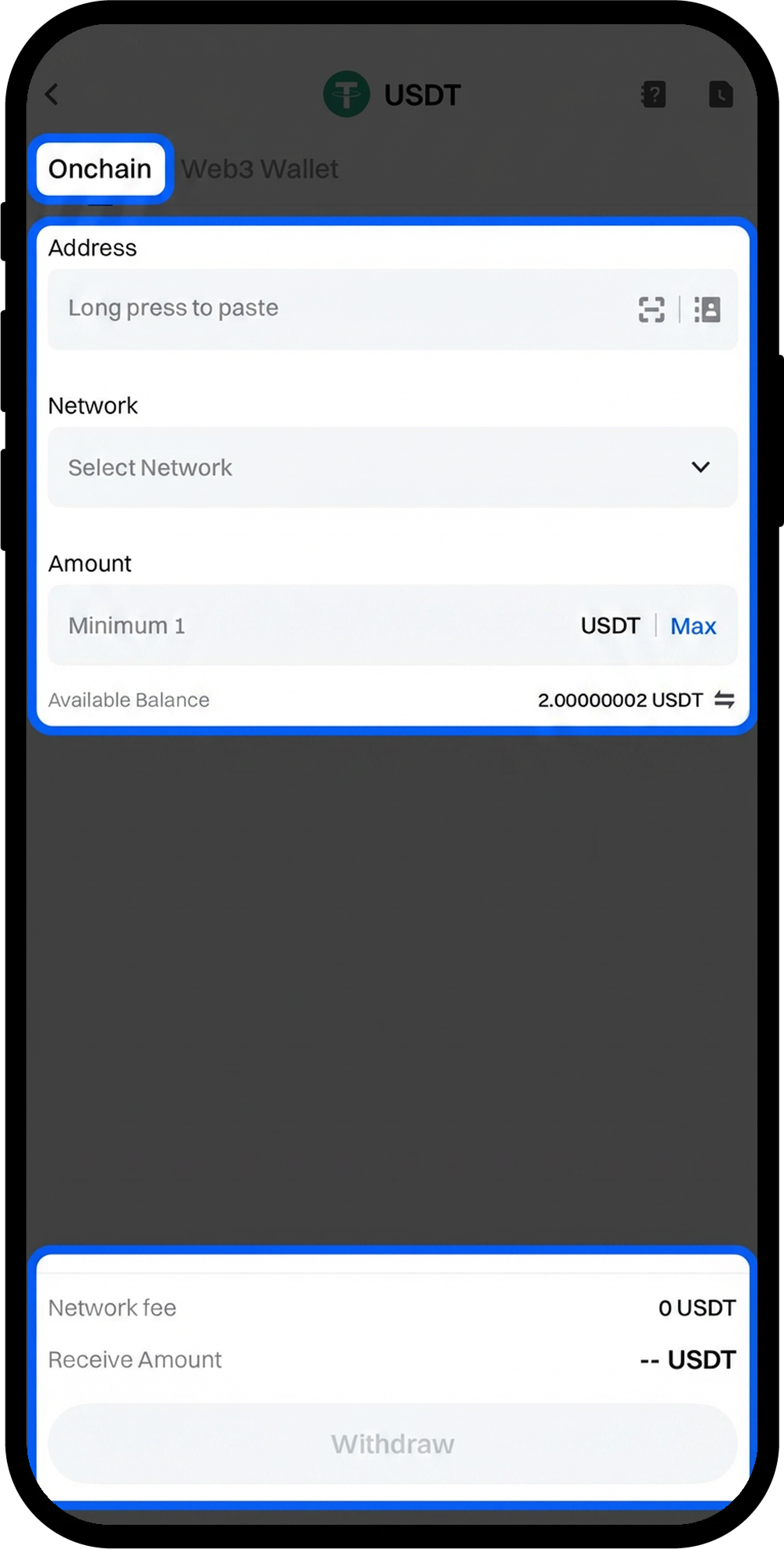
Step 7: Configure Withdrawal Details

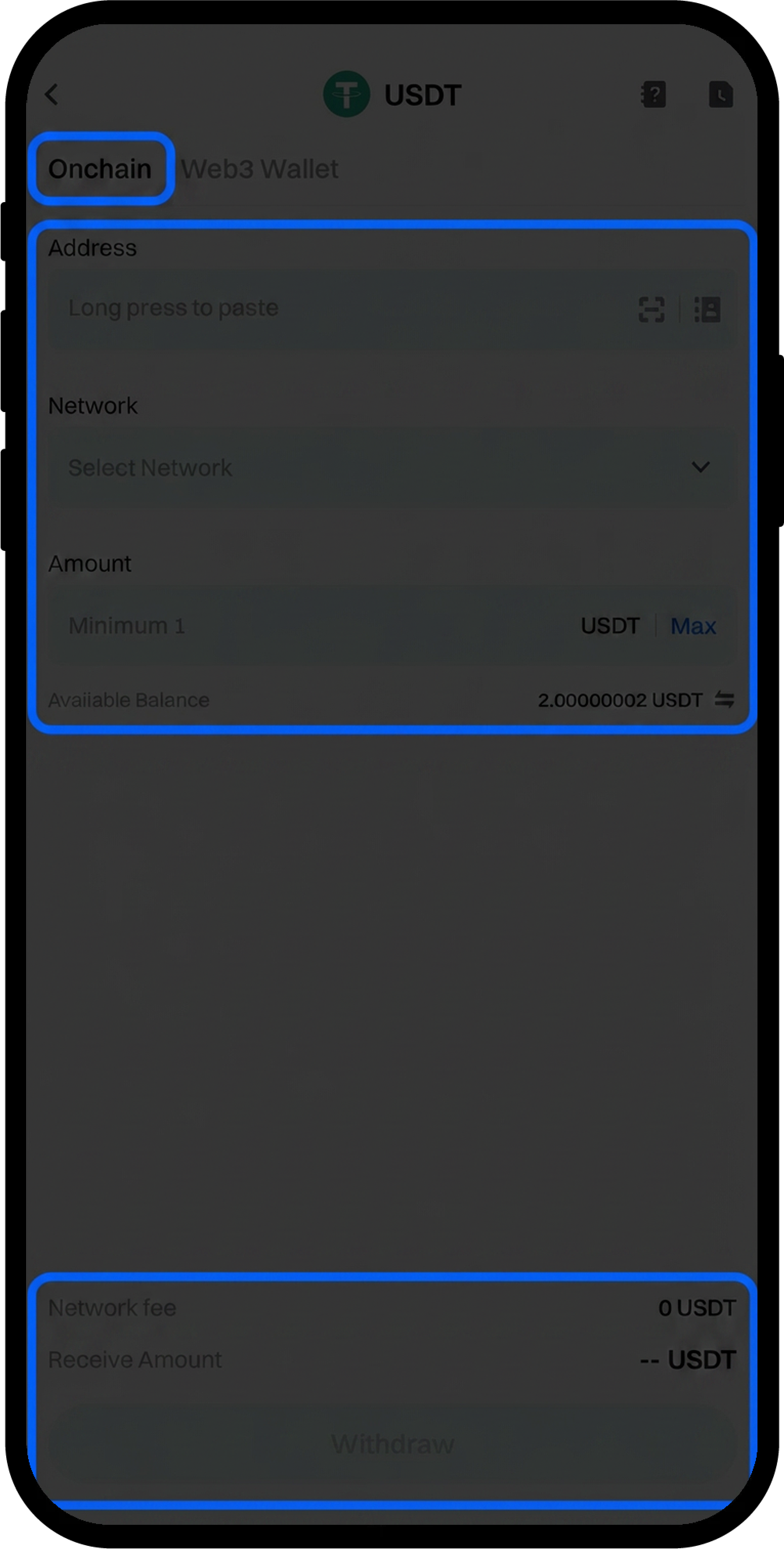
  1. Select the withdrawal [Network].
  2. Enter the receiving [Address].
  3. Enter the withdrawal [Amount].
  4. Tap [Withdraw].

image

Step 8: Verify and Confirm Withdrawal

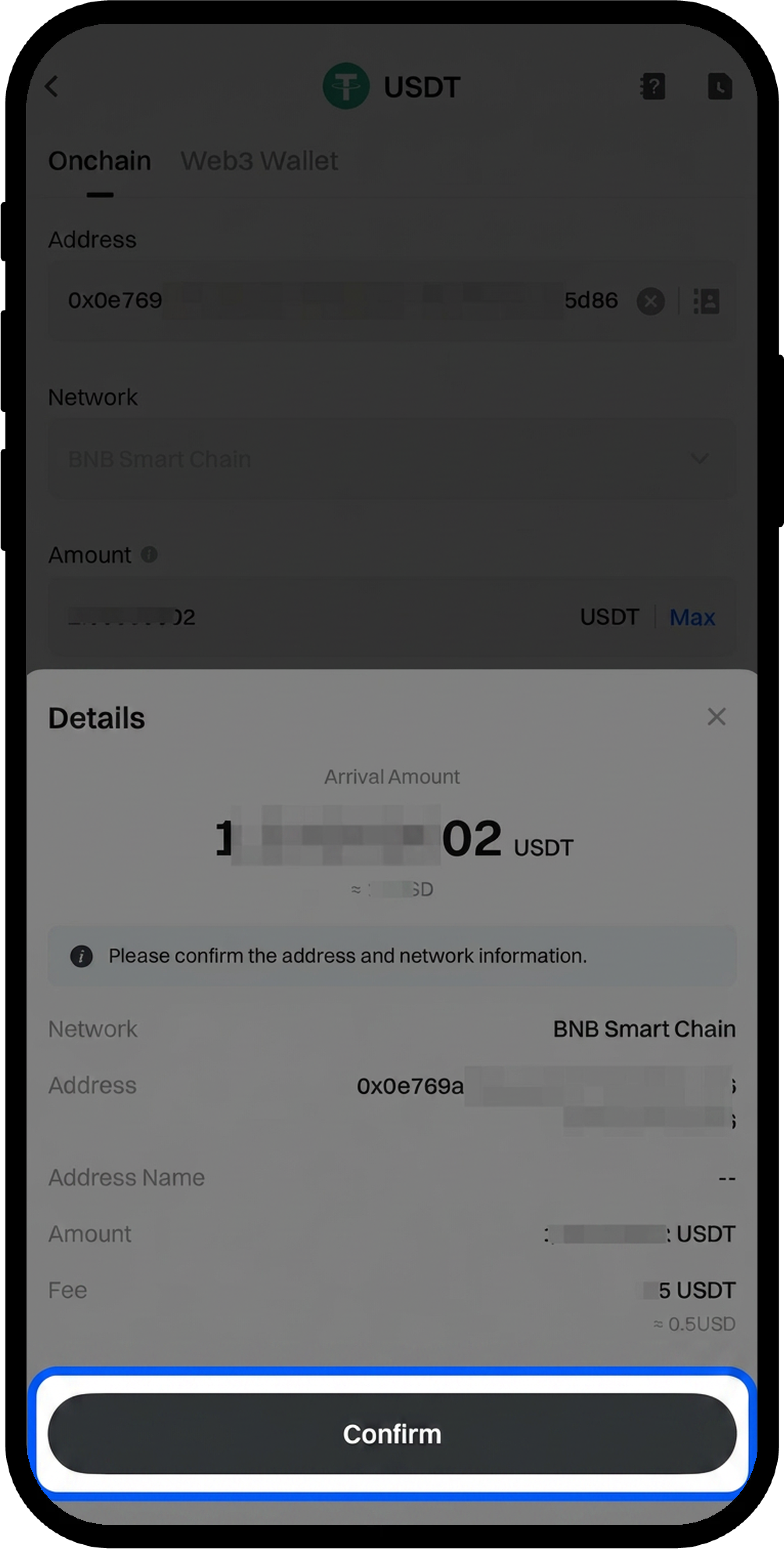
  1. Review all withdrawal information carefully.
  2. Tap [Confirm].
  3. Complete the [Security Verification] by entering:
    • [Fund Password]
    • [E-mail Verification Code]
    • [SMS Verification Code]
    • [Google Authenticator Code]
  4. Tap [Confirm] again to complete the withdrawal.

image
image

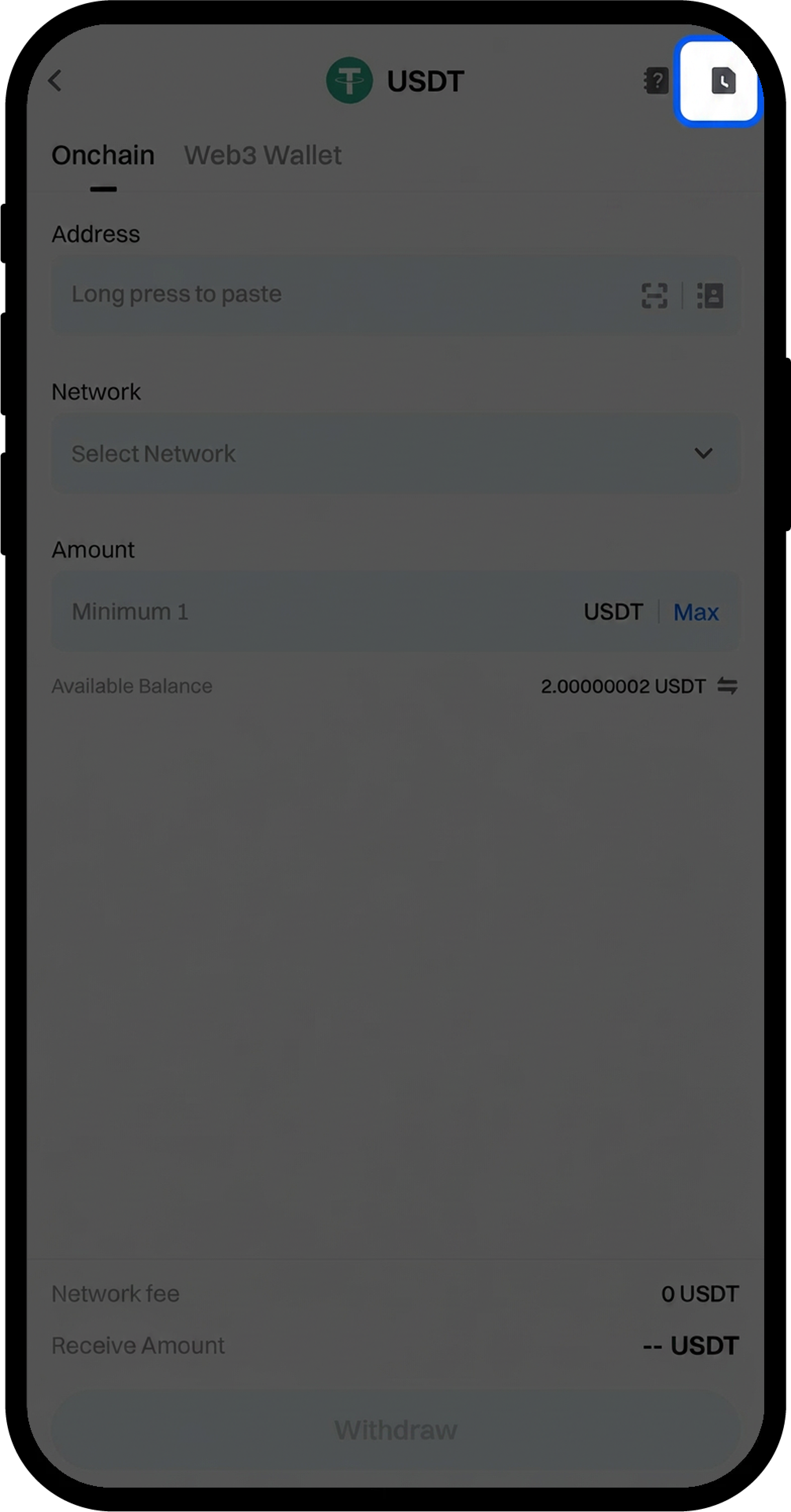
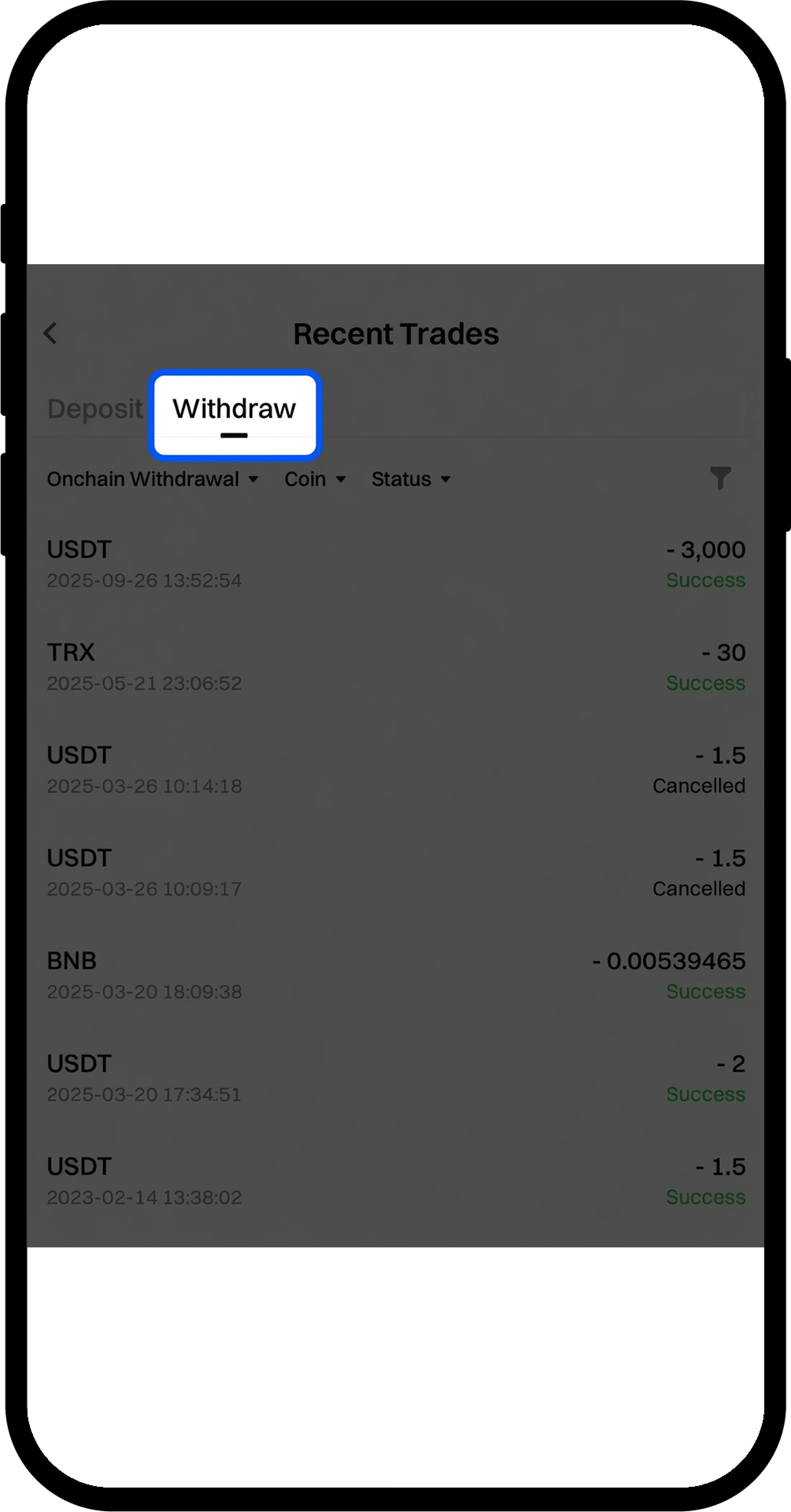
  1. After withdrawal completion, tap the [Notebook] icon at the top right corner to view [Recent Trades].

image
image

  1. Tap any withdrawal record to view detailed [Withdrawal Details].

image

Notes

  • The selected deposit network must match the network used on the withdrawal wallet or platform, and the contract address must be identical. Network mismatches will result in permanent fund loss.
  • Ensure your deposit amount meets or exceeds the Minimum Deposit Amount displayed on the page. Deposits below this threshold will not be credited and cannot be recovered.
  • The withdrawal network must match the receiving address network. Incorrect network selection will result in permanent fund loss.
  • Withdrawal fees vary by cryptocurrency and network. Refer to the actual amount displayed on the withdrawal page for current fees.
  • Double-check all addresses and network selections before confirming any transaction. Incorrect information may result in irreversible asset loss.

FAQ

Q1: How long does it take for my deposit to be credited?

A: Deposit processing time depends on the blockchain network's confirmation requirements. Most deposits are credited after the required number of network confirmations. You can check the confirmation progress in your deposit details.

Q2: What should I do if I selected the wrong network for my deposit?

A: If you selected the wrong network, your funds may be lost and cannot be recovered. Contact Gate's Online Support immediately with your transaction details for assessment, though recovery is not guaranteed.

Q3: Why is my withdrawal taking longer than expected?

A: Withdrawal processing time varies based on network congestion, security reviews, and blockchain confirmation times. Check your withdrawal status in Recent Trades. If the issue persists, contact Online Support for assistance.

Q4: Can I cancel a withdrawal after submitting it?

A: Once a withdrawal is confirmed and submitted to the blockchain network, it cannot be cancelled. Ensure all information is correct before confirming the withdrawal.

Disclaimer

The content provided herein is for reference and educational purposes only and does not constitute any financial, investment, trading, or legal advice, nor does it constitute an offer or solicitation to buy or sell any digital assets. Gate makes no express or implied representations or warranties regarding the accuracy, completeness, or timeliness of the information contained herein. Product features, interfaces, rules, and fee structures may be updated or adjusted at any time. Please refer to the latest announcements and the actual information displayed on the Gate platform for the most accurate details.
Digital asset investments involve significant risk, and prices may fluctuate substantially. You may lose the entire amount of your investment. Please make decisions cautiously based on your own financial situation and risk tolerance after fully understanding the associated risks. If necessary, you are advised to consult an independent professional financial or legal advisor.
For more information about potential risks, please refer to Gate's Risk Disclosure and User Agreement.

Sign up now for your chance to win up to $10,000!
signup-tips